
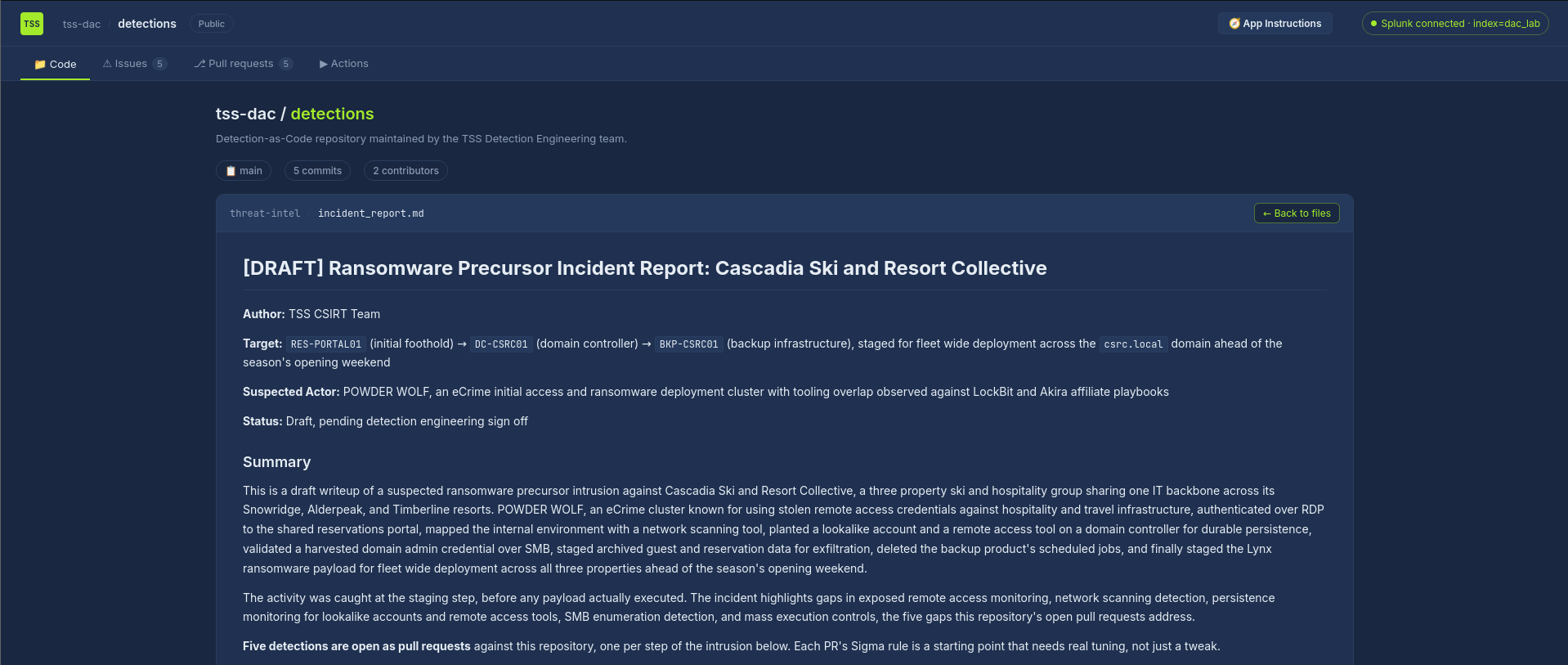
This challenge was a Detection-as-Code style task. Instead of exploiting a machine, I had to read the incident report, understand the attack chain, fix broken Sigma rules in pull requests, run the CI checks, and merge the rules when everything passed.
The report was about POWDER WOLF activity against Cascadia Ski and Resort Collective. I mainly used the report to understand what happened, and docs/environment-routines.md to avoid alerting on normal activity.
#PR #1 External RDP From Untrusted Source
The first rule was meant to detect external RDP logons. The broken rule was filtering out 203.0.113.*, but that was actually the attacker range from the report, not a trusted range.
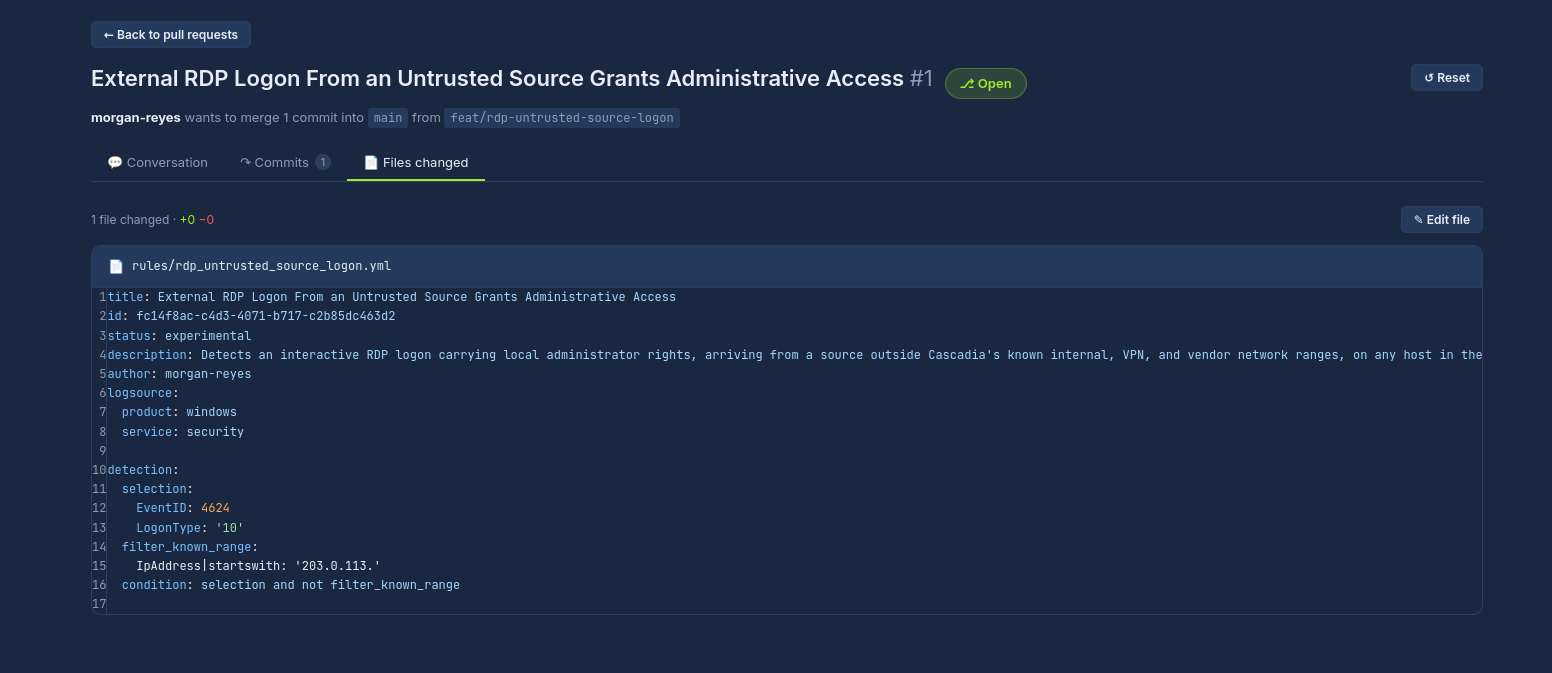
I fixed the logic by filtering real trusted activity instead:
- internal admin RDP from
10.40.* - approved VPN users from
10.90.* - SummitDesk MSP only when the source range, account, and target host matched
The red team test also showed that resumed RDP sessions can use LogonType 7, not only LogonType 10, so I added both.
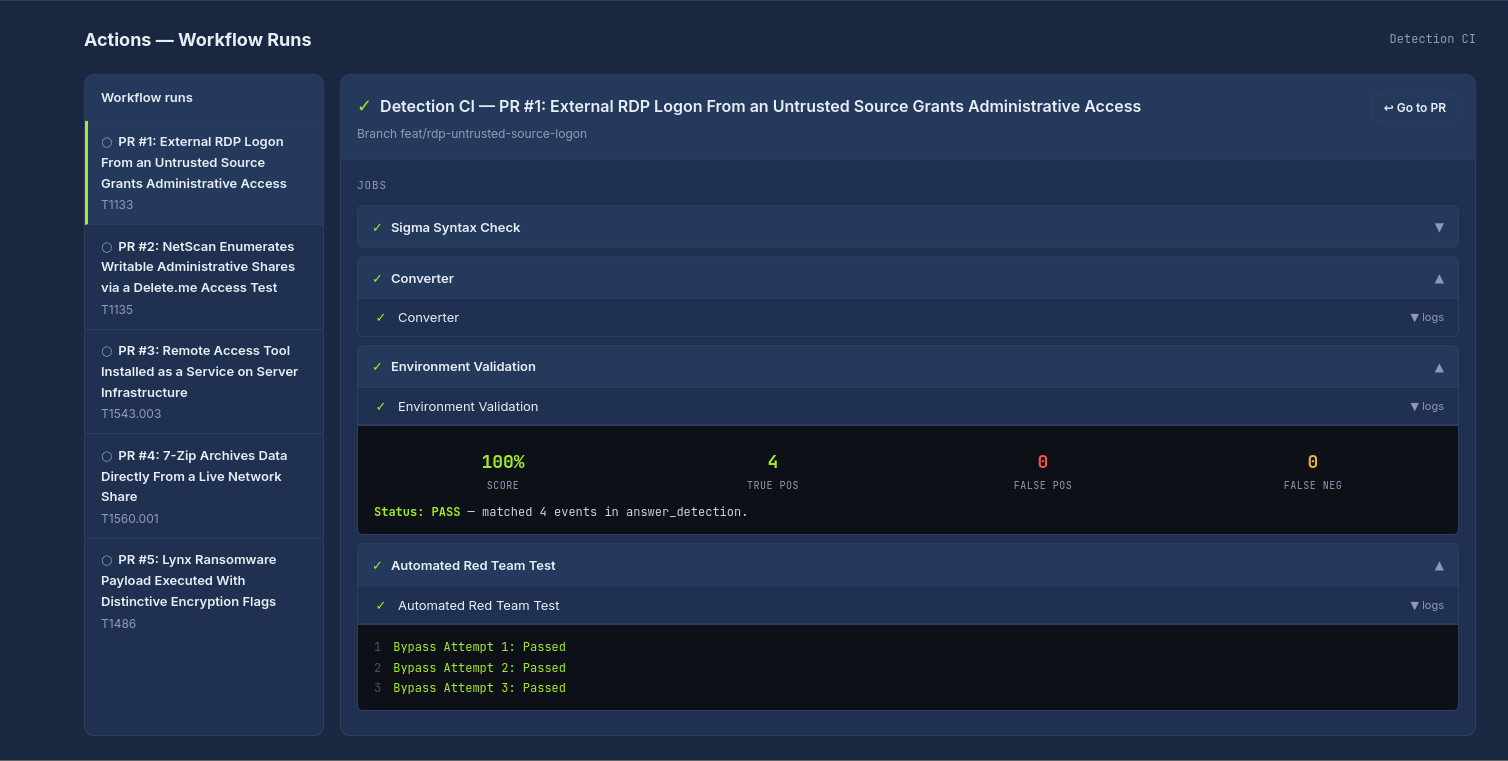
After the fix, all checks passed and I got the flag.
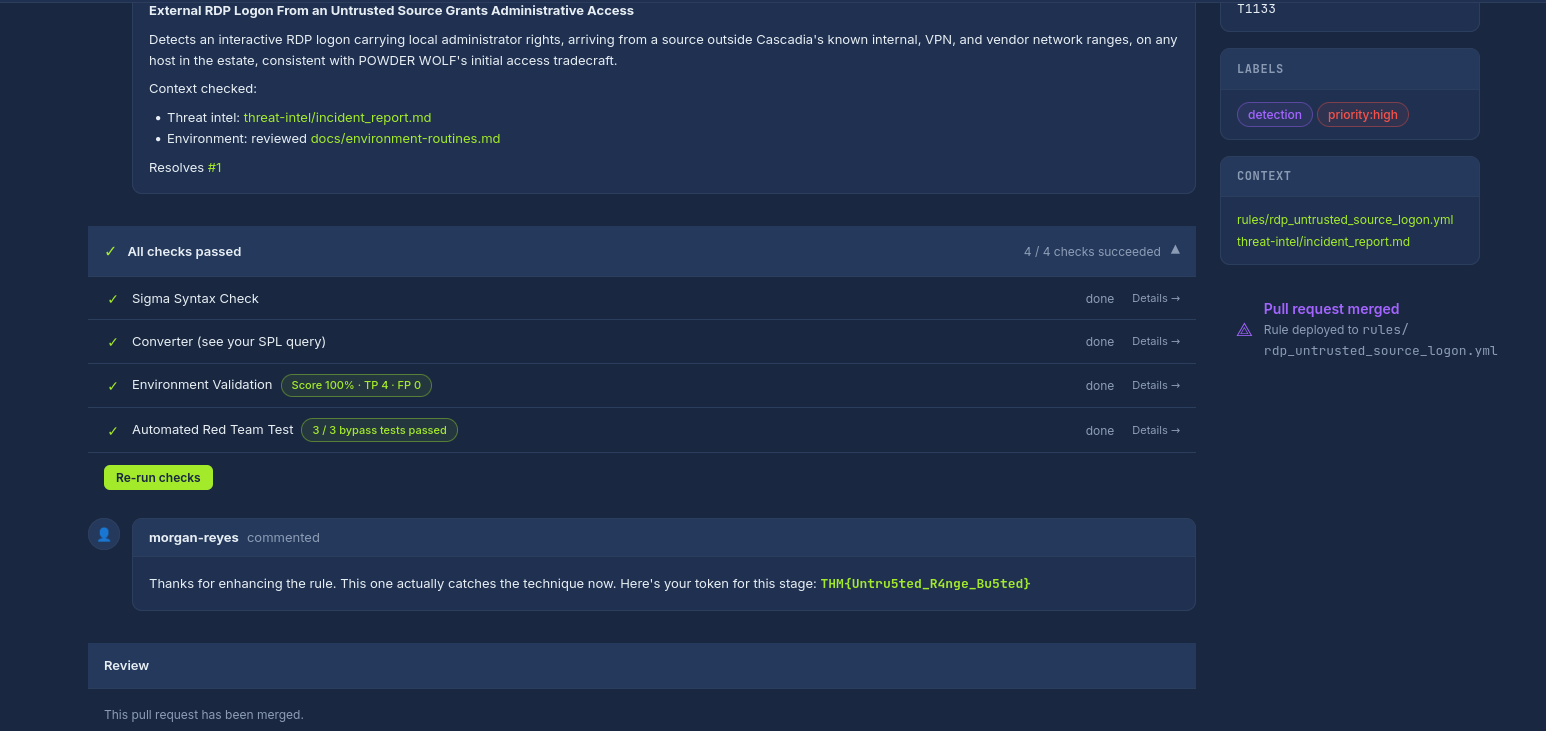
THM{Untru5ted_R4nge_Bu5ted}#PR #2 NetScan delete.me Share Test
This one was for SoftPerfect NetScan testing writable admin shares. The original rule looked for delete.me in ShareName, but the report showed it was actually in RelativeTargetName.
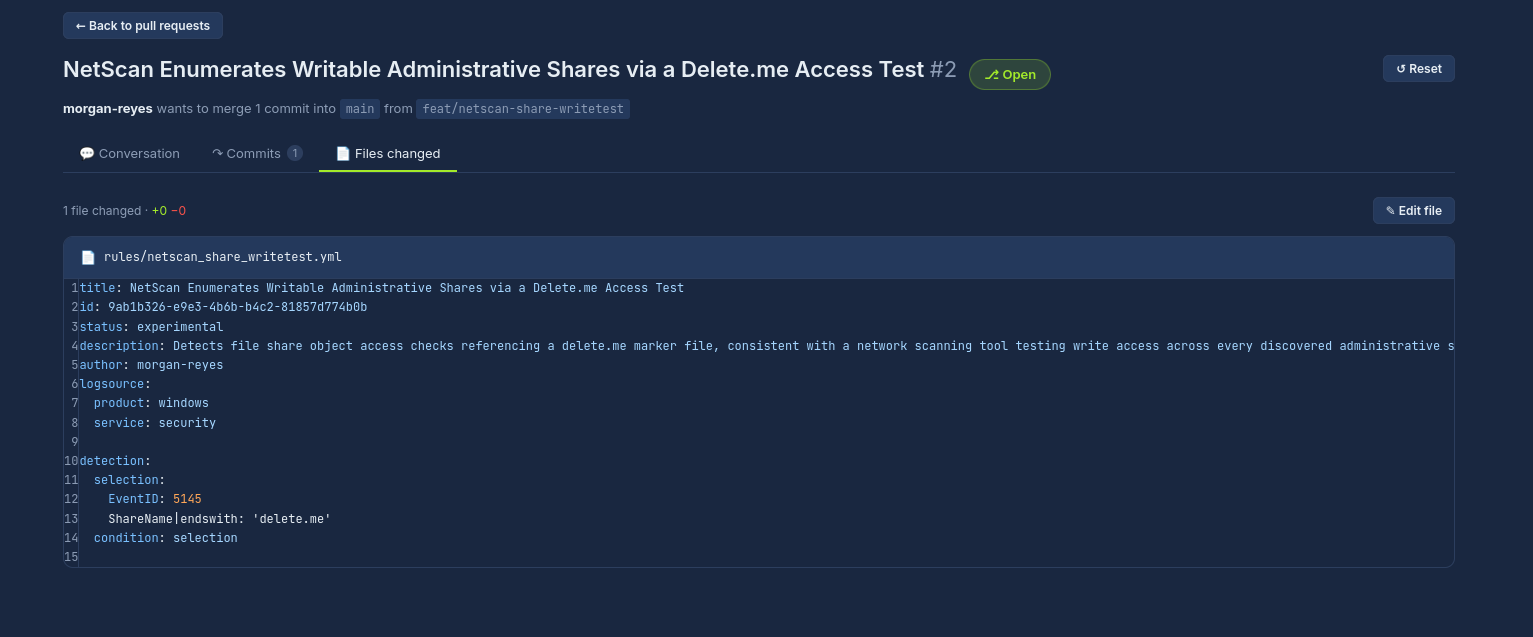
I fixed it by detecting:
EventID 5145RelativeTargetNameending indelete.meShareNameending in$, because admin shares likeC$are hidden/admin shares
After that, the rule passed validation and red team tests.
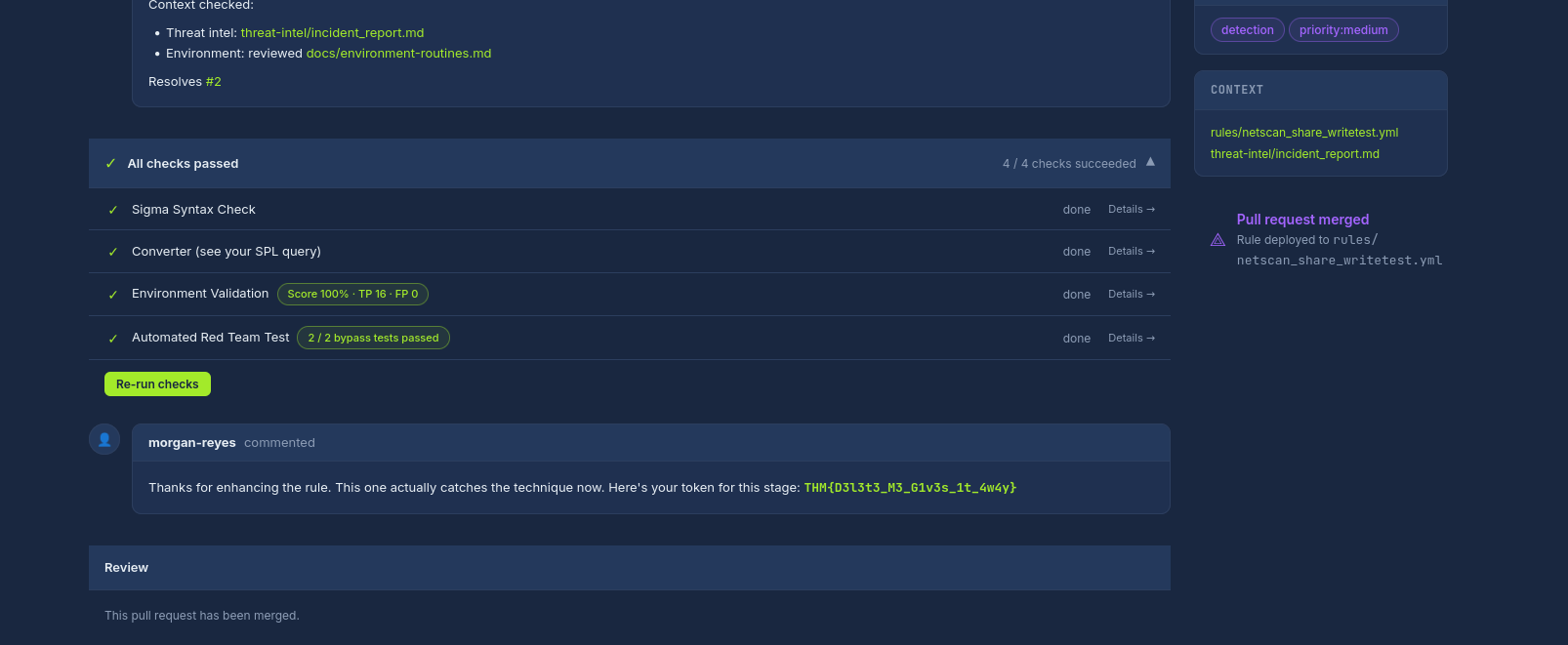
THM{D3l3t3_M3_G1v3s_1t_4w4y}#PR #3 Remote Access Tool Service Persistence
The report showed AnyDesk installed as a Windows service on a domain controller. The broken rule was looking at Image, but service installation logs use fields like ServiceName and ServiceFileName.
I first fixed it for AnyDesk, then the red team tests showed the rule was too narrow because ScreenConnect and TeamViewer could be used the same way.
So I generalized the rule to catch remote access tools installed as services, while filtering the normal helpdesk installs on workstation hosts like SNW-PC, ALD-PC, and TBL-PC.
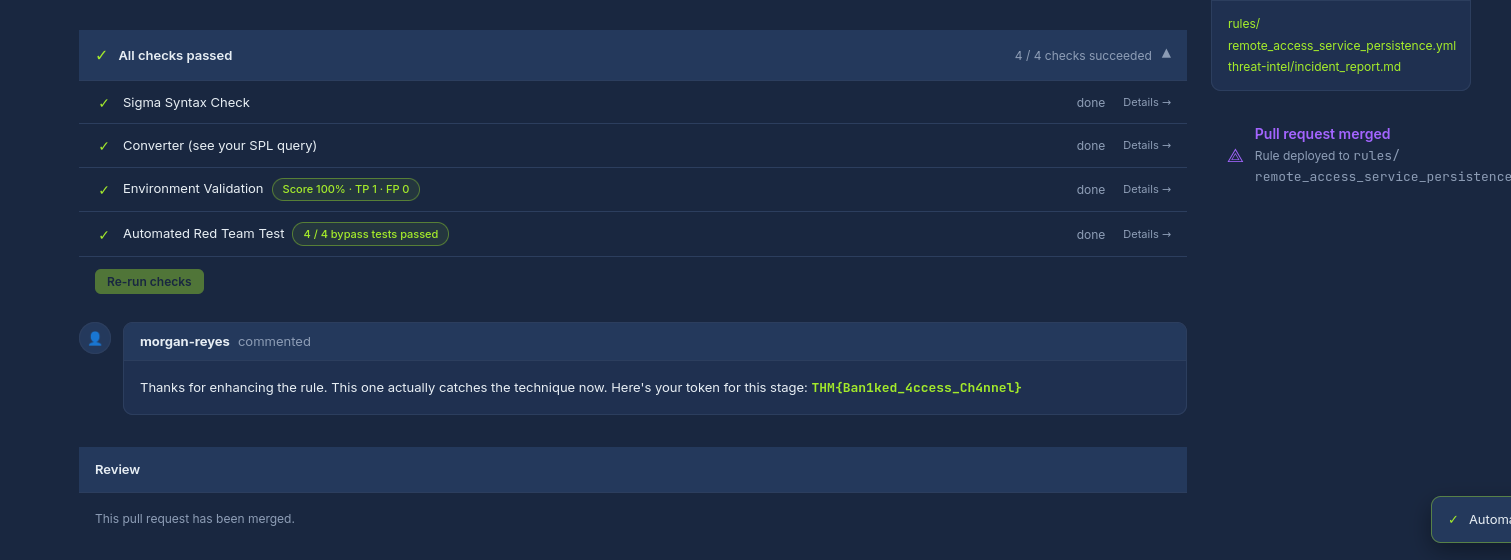
THM{BaniKed_4ccess_Ch4nnel}#PR #4 Archive From Live Network Share
The report showed 7-Zip being used to archive data directly from a live share like:
\\FS-RESV01\ReservationsShare\*The original rule checked for -p, but that is for password usage. The real behavior was archiving from a UNC share.
I first matched the specific 7-Zip + file share behavior, but the red team tests showed it missed WinRAR, PowerShell Compress-Archive, renamed 7-Zip binaries, and backup server shares.
So I generalized the detection to catch archive tools and PowerShell compressing directly from sensitive network shares, while filtering the known monthly reservation export job.
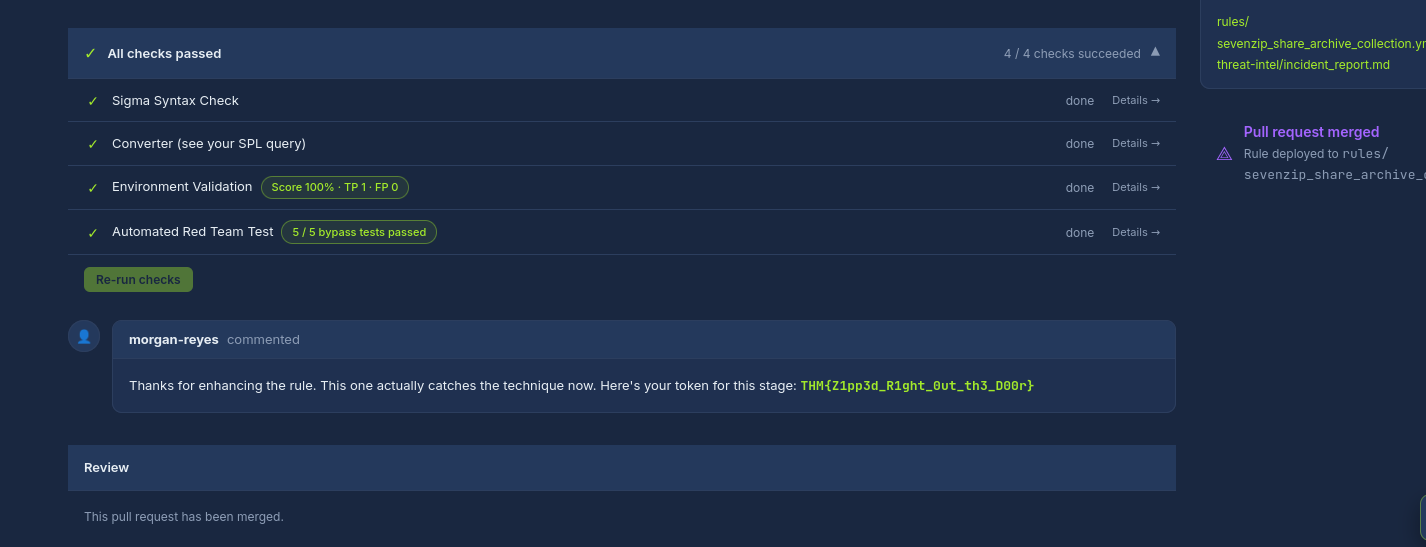
THM{Z1pp3d_Right_0ut_th3_D00r}#PR #5 Lynx Ransomware Deployment Staging
The last rule was for Lynx ransomware staging. The broken rule was looking for services.exe as the parent and w\.exe in the command line, but the report showed the payload was run from cmd.exe with flags like:
--dir E:\ --mode fast --verbose --noprintSo instead of relying on the file name, I detected the command-line behavior:
--dir--modefast--verboseor--noprint
I also filtered the legitimate DiskOptimizer.exe maintenance tool using its path, original file name, and service account.
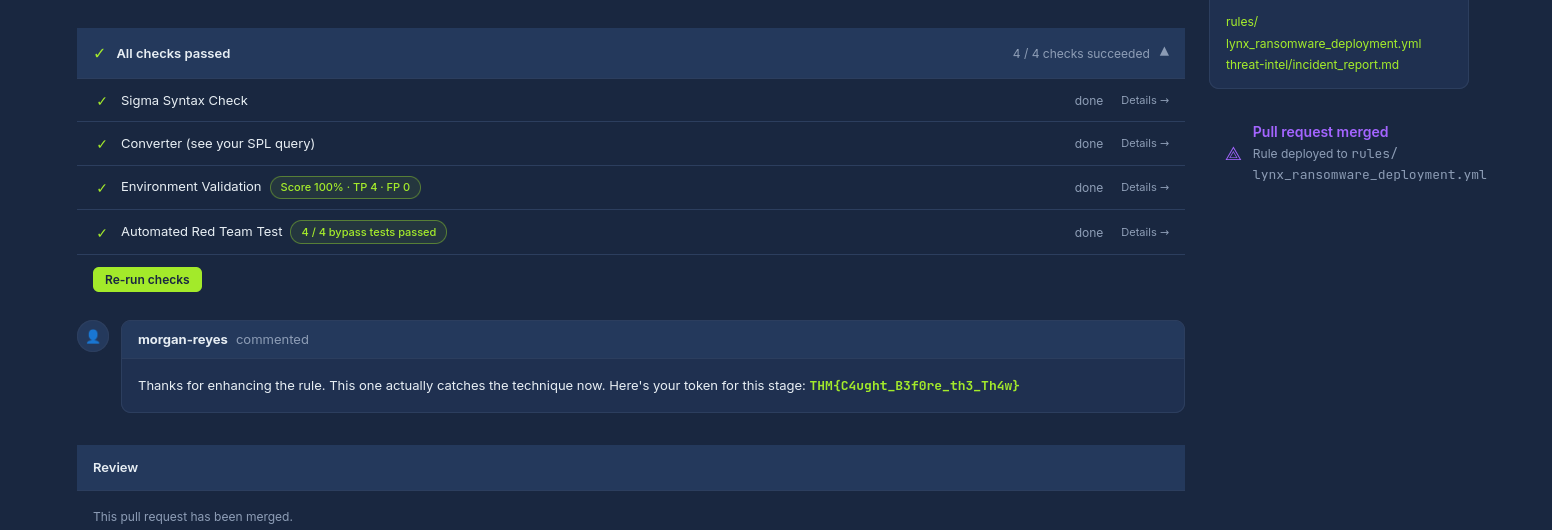
THM{C4ught_B3f0re_th3_Th4w}#Final
All workflows were green at the end.
This challenge was mainly about detection tuning. The important thing was not just matching the sample attack event. The rule also had to avoid known normal behavior and survive small attacker changes.